
Hello, you are using an old browser that's unsafe and no longer supported. Please consider updating your browser to a newer version, or downloading a modern browser.

Award-Winning Training Experience

Cisco CCNA Self-Paced Training

Installing, operating and troubleshooting enterprise networks — network fundamentals, access, IP connectivity, IP services, security and automation. Every exam domain, at your own pace.

Student
Student
Student
Join 250,000+ certified alumni.
CISSP Professional

Master CCNA

On-Demand

Exam Focused

Cisco Training

Learn at Your Pace. Pass When You’re Ready.

Official Cisco Training. Exam Included. 365-Day Access.
On-Demand Access A full year to master routing, switching, security, and automation at your own pace.
Your Success.

The Cisco CCNA Online Self-Paced Training Bundle delivers official Cisco content through the Cisco U. learning platform—structured video modules, configuration walkthroughs, knowledge checks, and your Cisco exam voucher included.

Program Abstract

REF: CCNA-2025 6
Curriculum aligned to the latest Exam Outline.
Format Self-Paced, Cisco U. Learning Path
Access 365 Days

The CCNA is Hard. We Know How to Pass It.

You don’t need a classroom to pass the CCNA, you need official Cisco training and a clear path to certification. This self-paced bundle gives you access to Cisco’s Implementing and Administering Cisco Solutions content through the Cisco U. learning platform. Videos, interactive modules, configuration walkthroughs, and knowledge checks teach you to install, configure, and verify IPv4 and IPv6 networks, covering routing, switching, wireless, security fundamentals, and automation. With 180 days of access and your Cisco exam voucher included, study at your own pace and test when you’re ready.

Cisco U. Learning Path.

Official Cisco training contentBased on Implementing and Administering Cisco Solutions (CCNA) course, mapped to 200-301 objectives—structured modules covering routing, switching, wireless, security, and automation.

Bundle Contents
Video Modules Included
Configuration Labs Included
Knowledge Checks Included
Exam Voucher INCLUDED

Configuration Labs & Practice.

Configuration walkthroughsStep-by-step guides using Cisco IOS Software for routing, switching, and network services, guided lab outlines, knowledge checks, and reference materials. All aligned to official Cisco 200-301 objectives.

Video Content

Video Modules

Structured video content aligned to 200-301 CCNA objectives.

Hands-On

Configuration Labs

Guided lab outlines covering routing, switching, and security.

Assessment

Knowledge Checks

Practice activities to reinforce each topic area.

Reference

Study Materials

Downloadable course overview and reference materials.

365 Days + Exam Voucher.

365 days to master routing, switching, and network fundamentals. Cisco exam voucher includedYour 200-301 CCNA exam fee is included—schedule when ready.—test at an authorized center or online proctored.

Day 1
Instant Access Access Cisco U. learning content immediately after enrollment.
Begin Learning
365 Days Access
Labs & Knowledge Checks Configure networks with guided labs and reinforce with knowledge checks.
Build Mastery
When Ready
Exam Voucher Ready Schedule at an authorized Cisco testing center or online proctored.
Get Certified
·
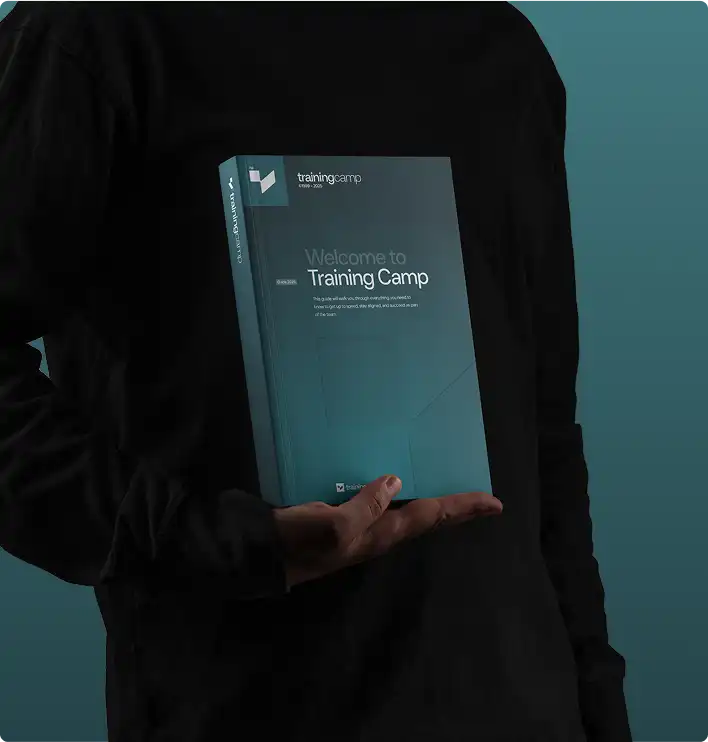
CCNA training materials including coursebook and study guides
Official Materials
Same courseware used in our live bootcamps.

"Everything you need in one package—I passed on my first try studying just 2 hours a day."

Self-Paced Student

Verified CCNA Graduate

Why Choose Self-Paced?

Your Schedule
✓

Fits Your Life

Study around work, family, and life. No need to take time off or travel.

  • No travel required
  • Study anytime
$

Lower Cost

Same quality content at a fraction of bootcamp pricing. No hotels, flights, or meals to budget.

  • Exam voucher included
  • No travel expenses
Offer

Save on this course with a current special offer

Team pricing, military discounts and a limited-time offer of the week. See what applies before you book.

See special offers
Get Started Today

Explore Your Training Options

Tell us about your training needs and we'll create a personalized plan.

Award ribbon icon

Official Cisco Courseware

Prepare for the CCNA exam with authorized Cisco courseware, built for the current exam and updated whenever Cisco changes the objectives.

Clock icon

180 Days of Access

Study for CCNA on your own schedule. Access starts the day you enroll and runs for a full 180 days.

Flower icon

Exam Voucher Included

Your CCNA exam fee is covered by the included voucher. Book the exam with the testing provider whenever you feel ready.

Light bulb icon

Every Domain Covered

Cisco CCNA self-paced training covers all six exam domains, from Network Fundamentals through Automation and Programmability, with nothing left out.

Stars icon

Practice Before You Sit

Measure your readiness before booking the CCNA exam. Practice questions and review tools show where you stand before you sit.

Sunglasses icon

DoD 8140 Approved

Qualify for DoD cyber roles. CCNA is recognized under the DoD 8140 framework, so the certification satisfies that requirement where it applies.

Cisco CCNA Self-Paced Training

Accepting Inquiries
+1

    Eligible for Special Pricing?

    We respect your privacy. No spam.

    COURSE STRUCTURE

    What the CCNA Exam
    Covers

    Every domain the exam tests, and what sits inside it.
    Work through them in any order, at whatever pace suits you.

    EXAM DOMAIN

    Self-Paced Topics: 7
    START HERE
    On the Exam

    Getting Started

    Cisco U. Platform Access and Course Navigation
    L.prep.1
    CCNA 200-301 v1.1 Blueprint and Domain Weights
    L.prep.2
    Building a Weekly Study Planner for 180 Days
    L.prep.3
    Baseline Assessment to Identify Weak Domains
    L.prep.4
    Using the Question Bank and Knowledge Checks
    L.prep.5
    Setting Up Cisco Packet Tracer and Lab Workspace
    L.prep.6
    Registering Your Exam Voucher with Pearson VUE
    L.prep.7

    EXAM DOMAIN

    Self-Paced Topics: 15
    DOMAIN 1
    On the Exam

    Network Fundamentals (20%)

    Routers, Switches, Firewalls, Access Points, and Controllers
    L.01.1
    Two-Tier, Three-Tier, Spine-Leaf, WAN, and SOHO Topologies
    L.01.2
    Fiber and Copper Cabling, Duplex and Speed Issues
    L.01.3
    TCP vs UDP Characteristics and Port Numbers
    L.01.4
    IPv4 Addressing, Subnetting, and Private Address Ranges
    L.01.5
    IPv6 Address Types, Prefixes, and Modified EUI-64
    L.01.6
    Wireless Principles: Channels, SSID, RF, and Encryption
    L.01.7
    Virtualization, Containers, VRFs, and MAC Learning
    L.01.8
    Lab: Configuring and Verifying IPv4 Subnets on Routers
    L.01.9
    Lab: Configuring IPv6 Addressing and Verifying Prefixes
    L.01.10
    Lab: Verifying IP Parameters on Windows, macOS, and Linux
    L.01.11
    Subnetting Speed Drills with Timed Practice
    L.01.12
    Knowledge Check: Network Component Roles and Topologies
    L.01.13
    Knowledge Check: Interface and Cable Troubleshooting
    L.01.14
    Domain 1 Question Bank Review and Weak-Area Notes
    L.01.15

    EXAM DOMAIN

    Self-Paced Topics: 15
    DOMAIN 2
    On the Exam

    Network Access (20%)

    VLANs Spanning Multiple Switches and InterVLAN Connectivity
    L.02.1
    Trunk Ports, 802.1Q Tagging, and Native VLAN
    L.02.2
    Cisco Discovery Protocol and LLDP Operation
    L.02.3
    Layer 2 and Layer 3 EtherChannel with LACP
    L.02.4
    Rapid PVST+ Root Bridge, Port Roles, and States
    L.02.5
    PortFast, Root Guard, Loop Guard, and BPDU Guard
    L.02.6
    Cisco Wireless Architectures, AP Modes, and WLC Connections
    L.02.7
    Device Management Access: Console, SSH, TACACS+, RADIUS, Cloud
    L.02.8
    Lab: Configuring VLANs, Access Ports, and Voice VLANs
    L.02.9
    Lab: Configuring 802.1Q Trunks and Native VLAN
    L.02.10
    Lab: Building an LACP EtherChannel Between Switches
    L.02.11
    Lab: Interpreting Rapid PVST+ Topology Output
    L.02.12
    Walkthrough: WLAN Creation and Security in the WLC GUI
    L.02.13
    Knowledge Check: Spanning Tree Protection Features
    L.02.14
    Domain 2 Question Bank Review and Weak-Area Notes
    L.02.15

    EXAM DOMAIN

    Self-Paced Topics: 15
    DOMAIN 3
    On the Exam

    IP Connectivity (25%)

    Routing Table Components: Prefix, Mask, Next Hop, Metric
    L.03.1
    Administrative Distance and Gateway of Last Resort
    L.03.2
    Longest Prefix Match Forwarding Decisions
    L.03.3
    IPv4 and IPv6 Default, Network, and Host Routes
    L.03.4
    Floating Static Routes for Backup Paths
    L.03.5
    Single-Area OSPFv2 Neighbor Adjacencies and Router ID
    L.03.6
    OSPF Point-to-Point vs Broadcast DR/BDR Selection
    L.03.7
    First Hop Redundancy Protocols: HSRP, VRRP, GLBP Concepts
    L.03.8
    Lab: Configuring IPv4 and IPv6 Static Routing
    L.03.9
    Lab: Configuring Single-Area OSPFv2 and Verifying Neighbors
    L.03.10
    Lab: Floating Static Route Failover Verification
    L.03.11
    Lab: Interpreting Show IP Route Output
    L.03.12
    Knowledge Check: Forwarding Decision Scenarios
    L.03.13
    Knowledge Check: FHRP Purpose and Operation
    L.03.14
    Domain 3 Question Bank Review and Weak-Area Notes
    L.03.15

    EXAM DOMAIN

    Self-Paced Topics: 15
    DOMAIN 4
    On the Exam

    IP Services (10%)

    Inside Source NAT with Static Entries and Pools
    L.04.1
    NTP Client and Server Mode Operation
    L.04.2
    DHCP and DNS Roles Within the Network
    L.04.3
    DHCP Client and Relay Agent Configuration
    L.04.4
    SNMP Function in Network Operations
    L.04.5
    Syslog Facilities and Severity Levels
    L.04.6
    QoS Classification, Marking, Queuing, Policing, and Shaping
    L.04.7
    SSH Remote Access and TFTP/FTP Capabilities
    L.04.8
    Lab: Configuring Static NAT and PAT with Pools
    L.04.9
    Lab: Configuring NTP Client and Server Modes
    L.04.10
    Lab: Configuring DHCP Relay on a Router Interface
    L.04.11
    Lab: Enabling SSH Access with Local Users
    L.04.12
    Knowledge Check: Syslog Severity Level Scenarios
    L.04.13
    Knowledge Check: QoS Per-Hop Behavior Terms
    L.04.14
    Domain 4 Question Bank Review and Weak-Area Notes
    L.04.15

    EXAM DOMAIN

    Self-Paced Topics: 15
    DOMAIN 5
    On the Exam

    Security Fundamentals (15%)

    Threats, Vulnerabilities, Exploits, and Mitigation Techniques
    L.05.1
    Security Program Elements: Awareness, Training, Physical Access
    L.05.2
    Device Access Control with Local Passwords
    L.05.3
    Password Policy, MFA, Certificates, and Biometrics
    L.05.4
    IPsec Remote Access and Site-to-Site VPN Concepts
    L.05.5
    Standard and Extended Access Control Lists
    L.05.6
    DHCP Snooping, Dynamic ARP Inspection, and Port Security
    L.05.7
    AAA Concepts and WPA, WPA2, WPA3 Protocols
    L.05.8
    Lab: Configuring and Verifying Named Access Control Lists
    L.05.9
    Lab: Configuring Port Security and DHCP Snooping
    L.05.10
    Lab: Securing Device Access with Local Passwords
    L.05.11
    Walkthrough: Configuring a WPA2 PSK WLAN in the GUI
    L.05.12
    Knowledge Check: Threat and Mitigation Matching
    L.05.13
    Knowledge Check: Authentication vs Authorization vs Accounting
    L.05.14
    Domain 5 Question Bank Review and Weak-Area Notes
    L.05.15

    EXAM DOMAIN

    Self-Paced Topics: 15
    DOMAIN 6
    On the Exam

    Automation and Programmability (10%)

    How Automation Impacts Network Management
    L.06.1
    Traditional Networks vs Controller-Based Networking
    L.06.2
    Overlay, Underlay, and Fabric Architectures
    L.06.3
    Control Plane and Data Plane Separation
    L.06.4
    Northbound and Southbound API Roles
    L.06.5
    Generative and Predictive AI in Network Operations
    L.06.6
    REST API Authentication, CRUD, HTTP Verbs, and Encoding
    L.06.7
    Ansible, Terraform, and JSON Data Components
    L.06.8
    Lab: Reading and Validating JSON-Encoded Device Data
    L.06.9
    Lab: Sending a REST API Request to a Controller
    L.06.10
    Walkthrough: Catalyst Center Automation Workflows
    L.06.11
    Knowledge Check: SDN Architecture Terminology
    L.06.12
    Knowledge Check: Ansible vs Terraform Characteristics
    L.06.13
    Knowledge Check: AI and ML Use Cases in Operations
    L.06.14
    Domain 6 Question Bank Review and Weak-Area Notes
    L.06.15

    EXAM DOMAIN

    Self-Paced Topics: 8
    START HERE
    On the Exam

    Exam Prep

    Full-Length Timed CCNA Practice Exam One
    L.prep.1
    Domain-by-Domain Score Review Against Weights
    L.prep.2
    Weak-Area Remediation Using the Question Bank
    L.prep.3
    Full-Length Timed CCNA Practice Exam Two
    L.prep.4
    Lab: Timed Configuration Simulation Practice
    L.prep.5
    Scheduling the 200-301 Exam with Pearson VUE
    L.prep.6
    Exam-Day Logistics, ID Requirements, and Check-In
    L.prep.7
    Exam: 200-301 CCNA
    L.prep.8
    COURSE PROGRESS Domain 0 of 7
    Frequently Asked Questions

    CCNA Self-Paced
    Questions, Answered

    Real questions from real professionals who passed.
    Here's how we answer them.

    Official Cisco courseware, on-demand video instruction, practice questions and your CCNA exam voucher, with 180 days of access from enrollment. Everything is online, so you start the day you enroll.

    180 days from the date you enroll. There is no fixed schedule and no cohort to keep up with — you work through the material at whatever pace fits around your job.

    Yes. Your CCNA exam voucher is included in the price, so there is nothing further to buy before you sit the exam. You book it with the testing provider once you are ready.

    CCNA has six exam domains: Network Fundamentals, Network Access, IP Connectivity, IP Services, Security Fundamentals and Automation and Programmability. The course is organized the same way, so each section maps to the domain it prepares you for.

    Yes. Training Camp is an authorized Cisco training partner and this course uses official Cisco CCNA courseware, kept aligned to the current exam version.

    It suits network engineers and administrators building core Cisco routing and switching skills. CCNA is also approved under DoD 8140 for qualifying roles.

    Yes. Our Success Guarantee lets you apply 100% of your self-paced course investment toward any of our live CCNA training classes within 30 days of your initial purchase. Contact the enrollment team and they will handle the transfer and help you pick a class date. Self-paced itself does not include an exam retake.

    Get the Free
    CCNA Exam Guide

    • Expert strategies to spot trick questions
    • Question patterns examiners actually use
    • Proven pacing + pressure management tactics
    Articles and Certification Resources

    Training Camp
    Articles

    Dive into our library of articles covering today’s most in-demand IT certifications, from cybersecurity and cloud to networking and project management. You’ll find practical tips, exam prep strategies, and industry updates to help you advance your career.

    Weighing this against another certification? Compare them head to head in Certification Matchups →

    Free practice test

    Not sure you are ready for the CCNA exam yet?

    Our free CCNA practice test runs 50 questions on a 60-minute timer, with an explanation for every answer choice, not just the right one. Short on time? Take the 25-question quick version instead.

    Start the CCNA test
    Continue Your Journey

    CCNA SP Related Courses

    Advance your career with these recommended certifications

    Featured on