
Hello, you are using an old browser that's unsafe and no longer supported. Please consider updating your browser to a newer version, or downloading a modern browser.

Award Winning CompTIA Platinum Partner

CompTIA A+ Self-Paced Training

Supporting, troubleshooting and securing the devices businesses run on — hardware, operating systems, networking, security and operational procedures. Both Core exams, on your own schedule.

Student
Student
Student
Join 250,000+ certified alumni.
CISSP Professional

Master A+

On-Demand

Official CompTIA

Authorized Training

Learn at Your Pace. Pass When You’re Ready.

Complete Bundle. Exam Included. 365-Day Access.
On-Demand Access A full year to work through videos, labs, and practice exams at your own pace.
Your Success.

The Training Camp A+ Complete Online Bundle includes everything you need—self-paced video lessons, interactive labs, practice exams, and your CompTIA exam voucher. Study on your schedule and test when you're ready.

Program Abstract

REF: A+-2025 6
Curriculum aligned to the latest Exam Outline.
Format Self-Paced, Complete Online Bundle
Access 365 Days

The A+ is Hard. We Know How to Pass It.

You don't need a classroom to pass A+—you need the complete bundle from Training Camp. This comprehensive package includes self-paced video lessons mapped to official CompTIA exam objectives, interactive knowledge checks, performance-based labs, and exam-style practice questions. With 365 days of access and your CompTIA exam voucher included, you can study at your own pace and test at Pearson VUE when you're confident.

Complete Online Bundle.

Everything you need in one packageVideo lessons, labs, practice exams, and exam voucher—all mapped to CompTIA objectives—aligned to Official CompTIA exam objectives and ready to go.

Bundle Contents
Video Lessons Included
Performance-Based Labs Included
Practice Exams Included
Exam Voucher INCLUDED

Labs, Practice Exams & More.

Performance-based labsHands-on activities that mirror real CompTIA exam scenarios, exam-style practice questions, interactive knowledge checks, and downloadable study resources. All mapped to Official CompTIA objectives.

Video Library

Video Lessons

Self-paced video content mapped to CompTIA objectives.

Hands-On

Performance Labs

Interactive labs that mirror real exam scenarios.

Practice Engine

Exam Simulator

Practice exams with detailed answer explanations.

Resources

Study Materials

Downloadable guides, checklists, and reference sheets.

365 Days + Exam Voucher.

365 days to master the material. CompTIA exam voucher includedYour A+ exam fee is included—schedule at Pearson VUE when ready.—test at a testing center or online proctored.

Day 1
Instant Access Start your CompTIA training immediately after enrollment.
Begin Learning
365 Days Access
Labs & Practice Exams Build skills with labs and verify readiness with practice exams.
Build Mastery
When Ready
Exam Voucher Ready Schedule at Pearson VUE testing center or online proctored.
Get Certified
·
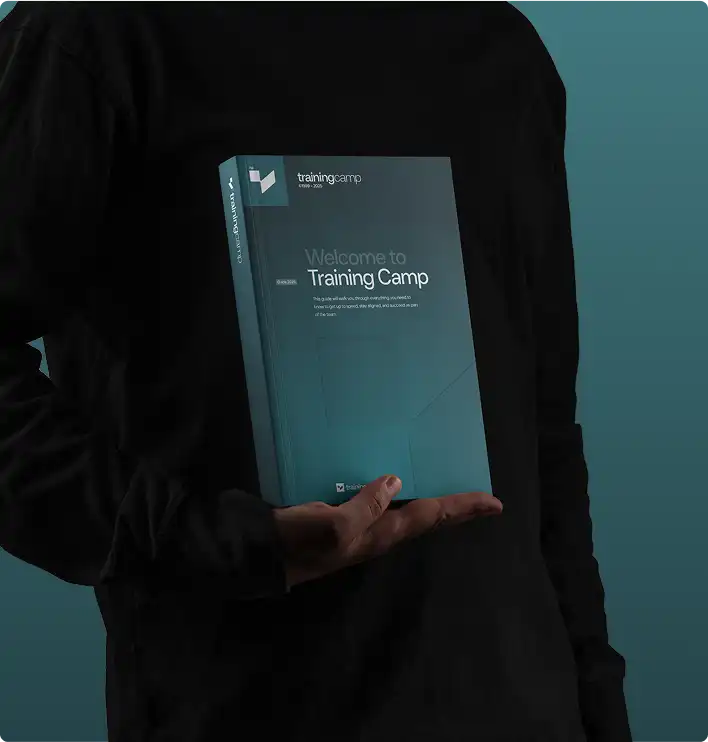
A+ training materials including coursebook and study guides
Official Materials
Same courseware used in our live bootcamps.

"Everything you need in one package—I passed on my first try studying just 2 hours a day."

Self-Paced Student

Verified A+ Graduate

Why Choose Self-Paced?

Your Schedule
✓

Fits Your Life

Study around work, family, and life. No need to take time off or travel.

  • No travel required
  • Study anytime
$

Lower Cost

Same quality content at a fraction of bootcamp pricing. No hotels, flights, or meals to budget.

  • Exam voucher included
  • No travel expenses
Offer

Save on this course with a current special offer

Team pricing, military discounts and a limited-time offer of the week. See what applies before you book.

See special offers
Get Started Today

Explore Your Training Options

Tell us about your training needs and we'll create a personalized plan.

Award ribbon icon

Official CompTIA Courseware

Prepare for the CompTIA A+ exam with authorized CompTIA courseware, updated whenever the A+ objectives change, so your study material is never stale.

Clock icon

365 Days of Access

Study for A+ on your own schedule with 365 days of access to the self-paced training, starting the day you enroll.

Flower icon

Both Vouchers Included

Earn A+ without buying exams separately. Core 1 and Core 2 vouchers are both included, and you book each exam when ready.

Light bulb icon

Every Domain Covered

Walk into the A+ exam with every objective covered. The A+ self-paced training works through all nine domains, from Mobile Devices to Operational Procedures.

Stars icon

Practice Before You Sit

Book the A+ exam only when you are ready. Practice questions and review tools measure your readiness before you schedule either exam.

Sunglasses icon

DoD 8140 Approved

Qualify for DoD cyber roles with CompTIA A+. The certification is recognized under the DoD 8140 framework for qualifying cybersecurity positions.

CompTIA A+ Self-Paced Training

Accepting Inquiries
+1

    Eligible for Special Pricing?

    We respect your privacy. No spam.

    COURSE STRUCTURE

    What the A+ Exam
    Covers

    Every domain the exam tests, and what sits inside it.
    Work through them in any order, at whatever pace suits you.

    EXAM DOMAIN

    Self-Paced Topics: 8
    START HERE
    On the Exam

    Getting Started

    Activate CertMaster Learn, Labs and Practice Access
    L.prep.1
    Review the 220-1201 and 220-1202 Exam Objectives and Weights
    L.prep.2
    Take the Core 1 and Core 2 Baseline Diagnostic Assessments
    L.prep.3
    Build a Two-Exam Study Planner Around Your Week
    L.prep.4
    Navigate Lessons, Videos and Knowledge Checks
    L.prep.5
    Launch and Save Progress in Virtual Labs
    L.prep.6
    Use the Adaptive Question Bank and Flashcards
    L.prep.7
    Set Milestones for Scheduling Each Exam Voucher
    L.prep.8

    EXAM DOMAIN

    Self-Paced Topics: 16
    DOMAIN 1
    On the Exam

    Mobile Devices (Core 1, 13%)

    Laptop Hardware Replacement: Battery, Keyboard, RAM, SSD and Wireless Cards
    L.01.1
    Laptop Display Components: LCD, OLED, Inverters, Webcams and Antennas
    L.01.2
    Mobile Device Accessories: Styluses, Docking Stations and Port Replicators
    L.01.3
    Connectivity Options: USB-C, Lightning, Bluetooth, NFC and Hotspots
    L.01.4
    Cellular Standards, GPS and Location Services
    L.01.5
    Mobile Email Configuration: Microsoft 365, Gmail, IMAP and Exchange
    L.01.6
    Mobile Device Synchronization and Account Setup
    L.01.7
    Mobile Device Management Enrollment and Corporate Applications
    L.01.8
    Lab: Replace a Laptop SSD and Memory Module
    L.01.9
    Lab: Pair Bluetooth Peripherals and Configure a Mobile Hotspot
    L.01.10
    Lab: Configure Corporate Email on a Mobile Device
    L.01.11
    Identify Laptop Display and Hinge Fault Symptoms
    L.01.12
    Compare Thunderbolt, USB4 and Legacy Docking Options
    L.01.13
    Mobile Security Features: Biometrics, Screen Locks and Remote Wipe
    L.01.14
    Core 1 Domain 1 Practice Questions and Review
    L.01.15
    Core 1 Domain 1 Adaptive Practice Set
    L.01.16

    EXAM DOMAIN

    Self-Paced Topics: 16
    DOMAIN 2
    On the Exam

    Networking (Core 1, 23%)

    TCP and UDP Ports: 20/21, 22, 23, 25, 53, 67/68, 80, 443, 3389
    L.02.1
    Wireless Standards: Wi-Fi 5, 6, 6E and 7, Frequencies and Channels
    L.02.2
    Networked Host Services: DHCP, DNS, File, Print, Mail and Proxy Servers
    L.02.3
    Network Configuration: IPv4 Addressing, Subnet Masks, Gateways and APIPA
    L.02.4
    IPv6 Basics, DNS Records and VLAN Concepts
    L.02.5
    Networking Hardware: Routers, Switches, Access Points, Firewalls and PoE
    L.02.6
    Internet Connection Types: Fiber, Cable, DSL, Satellite, Cellular and WISP
    L.02.7
    Networking Tools: Crimper, Cable Tester, Toner Probe and Wi-Fi Analyzer
    L.02.8
    Lab: Configure a SOHO Router With DHCP, Wi-Fi and Port Forwarding
    L.02.9
    Lab: Terminate and Test a T568B Ethernet Cable
    L.02.10
    Lab: Verify Connectivity With ipconfig, ping, tracert and nslookup
    L.02.11
    Lab: Set Up a Wireless Network With WPA3 and Guest Access
    L.02.12
    Compare SDN, IoT Device Networking and Legacy Systems
    L.02.13
    Identify Network Types: LAN, WAN, PAN, MAN, SAN and WLAN
    L.02.14
    Core 1 Domain 2 Practice Questions and Review
    L.02.15
    Core 1 Domain 2 Adaptive Practice Set
    L.02.16

    EXAM DOMAIN

    Self-Paced Topics: 16
    DOMAIN 3
    On the Exam

    Hardware (Core 1, 25%)

    Display Components and Attributes: Resolution, Refresh Rate and Panel Types
    L.03.1
    Cable Types and Connectors: HDMI, DisplayPort, USB, SATA, NVMe and Fiber
    L.03.2
    RAM Characteristics: DDR4, DDR5, SODIMM, ECC and Multi-Channel
    L.03.3
    Storage Devices: HDD, SATA and NVMe SSD, RAID Levels and Flash Media
    L.03.4
    Motherboard Form Factors, Chipsets, BIOS/UEFI Settings and TPM
    L.03.5
    CPU Architectures, Sockets, Cooling and Expansion Cards
    L.03.6
    Power Supply Wattage, Modular Designs, Connectors and Redundancy
    L.03.7
    Printer Types: Laser, Inkjet, Thermal, Impact and 3D Printers
    L.03.8
    Lab: Install a Motherboard, CPU, Cooler and RAM
    L.03.9
    Lab: Configure UEFI Settings and Enable Secure Boot and TPM
    L.03.10
    Lab: Install Storage Drives and Configure RAID
    L.03.11
    Lab: Deploy a Network Printer and Configure Duplexing and Security
    L.03.12
    Printer Maintenance: Toner, Drums, Calibration and Cleaning
    L.03.13
    Multifunction Device Scanning, Faxing and Print Server Setup
    L.03.14
    Core 1 Domain 3 Practice Questions and Review
    L.03.15
    Core 1 Domain 3 Adaptive Practice Set
    L.03.16

    EXAM DOMAIN

    Self-Paced Topics: 16
    DOMAIN 4
    On the Exam

    Virtualization and Cloud Computing (Core 1, 11%)

    Virtualization Concepts: Type 1 and Type 2 Hypervisors
    L.04.1
    Virtual Machine Purposes: Sandbox, Test Development, Legacy and Cross-Platform
    L.04.2
    Resource Requirements: CPU Virtualization Extensions, RAM, Storage and Networking
    L.04.3
    Virtual Machine Security and Isolation Considerations
    L.04.4
    Cloud Models: Public, Private, Hybrid and Community
    L.04.5
    Cloud Services: IaaS, PaaS, SaaS and Shared Resources
    L.04.6
    Cloud Characteristics: Rapid Elasticity, Metered Use and High Availability
    L.04.7
    Desktop Virtualization: VDI On Premises and in the Cloud
    L.04.8
    Lab: Install a Type 2 Hypervisor and Build a Virtual Machine
    L.04.9
    Lab: Configure Virtual Networking and Snapshot a Virtual Machine
    L.04.10
    Lab: Access Cloud File Storage and Compare Sync Options
    L.04.11
    Compare Containers to Virtual Machines at a Help Desk Level
    L.04.12
    Identify Cloud-Based Applications and Streaming Use Cases
    L.04.13
    Review Licensing and Cost Implications of Cloud Services
    L.04.14
    Core 1 Domain 4 Practice Questions and Review
    L.04.15
    Core 1 Domain 4 Adaptive Practice Set
    L.04.16

    EXAM DOMAIN

    Self-Paced Topics: 16
    DOMAIN 5
    On the Exam

    Hardware and Network Troubleshooting (Core 1, 28%)

    CompTIA Six-Step Troubleshooting Methodology
    L.05.1
    Motherboard, RAM, CPU and Power Symptoms: POST Codes, Beeps and Overheating
    L.05.2
    Drive and RAID Issues: S.M.A.R.T. Errors, Clicking, Missing Drives and Rebuilds
    L.05.3
    Video, Projector and Display Issues: Artifacts, Dim Images and Burn-In
    L.05.4
    Mobile Device Issues: Battery Swelling, Broken Screens and Charging Faults
    L.05.5
    Network Issues: Intermittent Connectivity, Slow Speeds and Port Flapping
    L.05.6
    Printer Issues: Paper Jams, Streaks, Ghosting and Print Queue Faults
    L.05.7
    Using Multimeters, Loopback Plugs and Diagnostic Software
    L.05.8
    Lab: Diagnose a No-POST Desktop Using Beep Codes and Component Swaps
    L.05.9
    Lab: Troubleshoot a Degraded RAID Array and Replace a Drive
    L.05.10
    Lab: Resolve a Limited Connectivity Wireless Fault
    L.05.11
    Lab: Clear a Stuck Print Queue and Fix Output Quality
    L.05.12
    Scenario Practice: Display Flicker and Incorrect Resolution
    L.05.13
    Scenario Practice: Mobile Device Overheating and Poor Reception
    L.05.14
    Core 1 Domain 5 Practice Questions and Review
    L.05.15
    Core 1 Full-Length Practice Exam and Readiness Check
    L.05.16

    EXAM DOMAIN

    Self-Paced Topics: 16
    DOMAIN 6
    On the Exam

    Operating Systems (Core 2, 28%)

    OS Types: Windows, macOS, Linux, ChromeOS, iOS, Android and End-of-Life
    L.06.1
    OS Installation and Upgrade: Boot Methods, Partitioning, GPT and Imaging
    L.06.2
    Windows Editions: Home, Pro, Pro for Workstations and Enterprise Features
    L.06.3
    Windows Tools: Task Manager, MMC Snap-Ins, Disk Management and Registry
    L.06.4
    Command-Line Tools: ipconfig, sfc, chkdsk, diskpart, gpupdate and PowerShell
    L.06.5
    Windows Settings and Control Panel: Accounts, Privacy, Update and Devices
    L.06.6
    Windows Client Networking: Domain Join, Shares, Mapped Drives and Proxies
    L.06.7
    macOS and Linux Features: Finder, Time Machine, Shell Commands and Package Managers
    L.06.8
    Lab: Perform a Clean Windows 11 Installation and Join a Domain
    L.06.9
    Lab: Manage Disks, Users and Services From the Command Line
    L.06.10
    Lab: Configure Windows Firewall, Network Profiles and Remote Desktop
    L.06.11
    Lab: Install Applications to System Requirements and Licensing
    L.06.12
    Cloud-Based Productivity Tools: Microsoft 365 and Google Workspace Setup
    L.06.13
    Linux Commands: ls, grep, chmod, sudo, apt and systemctl
    L.06.14
    Core 2 Domain 1 Practice Questions and Review
    L.06.15
    Core 2 Domain 1 Adaptive Practice Set
    L.06.16

    EXAM DOMAIN

    Self-Paced Topics: 16
    DOMAIN 7
    On the Exam

    Security (Core 2, 28%)

    Security Measures: Badges, Locks, Cameras, MFA, ACLs and Least Privilege
    L.07.1
    Windows Security Settings: Defender, Firewall, BitLocker, NTFS and Share Permissions
    L.07.2
    Wireless Security Protocols: WPA2, WPA3, RADIUS, TACACS+ and Kerberos
    L.07.3
    Malware Types: Ransomware, Trojans, Rootkits, Spyware and Cryptominers
    L.07.4
    Social Engineering: Phishing, Vishing, Tailgating, Impersonation and AI Deepfakes
    L.07.5
    Vulnerabilities: Unpatched Systems, EOL Software and Zero-Day Threats
    L.07.6
    Workstation Hardening: Password Policies, Account Lockout and AutoRun
    L.07.7
    Data Destruction: Shredding, Degaussing, Secure Erase and Certificates
    L.07.8
    Lab: Configure NTFS Permissions, BitLocker and Local Security Policy
    L.07.9
    Lab: Run the Seven-Step SOHO Malware Removal Procedure
    L.07.10
    Lab: Secure a SOHO Router: Firmware, WPA3, Guest Network and Firewall
    L.07.11
    Lab: Apply Mobile Device Security With Screen Locks and Locator Apps
    L.07.12
    Browser Security: Extensions, Pop-Up Blockers, Certificates and Private Browsing
    L.07.13
    Securing Mobile Devices: MDM Policies, Encryption and Remote Wipe
    L.07.14
    Core 2 Domain 2 Practice Questions and Review
    L.07.15
    Core 2 Domain 2 Adaptive Practice Set
    L.07.16

    EXAM DOMAIN

    Self-Paced Topics: 16
    DOMAIN 8
    On the Exam

    Software Troubleshooting (Core 2, 23%)

    Windows OS Issues: BSOD, Sluggish Performance, Boot Problems and Update Failures
    L.08.1
    Windows Repair Tools: Safe Mode, System Restore, Startup Repair and Reimaging
    L.08.2
    Mobile OS Issues: Application Crashes, Battery Drain and Connectivity Loss
    L.08.3
    Mobile Application Issues: Updates, Storage and Compatibility
    L.08.4
    Mobile OS Security Issues: Unauthorized Access, Leaked Data and Fake Apps
    L.08.5
    PC Security Symptoms: Redirects, Certificate Warnings and Rogue Antivirus
    L.08.6
    Ransomware, Spam and Unwanted Notification Symptoms
    L.08.7
    Remediation Steps: Quarantine, Reinstall, Updates and User Education
    L.08.8
    Lab: Recover a Windows System That Fails to Boot
    L.08.9
    Lab: Diagnose Slow Performance With Task Manager and Resource Monitor
    L.08.10
    Lab: Remediate a Browser Hijack and Restore Trusted Settings
    L.08.11
    Lab: Troubleshoot a Mobile Device That Will Not Connect
    L.08.12
    Scenario Practice: Application Crashes After an Update
    L.08.13
    Scenario Practice: Suspected Malware on a User Workstation
    L.08.14
    Core 2 Domain 3 Practice Questions and Review
    L.08.15
    Core 2 Domain 3 Adaptive Practice Set
    L.08.16

    EXAM DOMAIN

    Self-Paced Topics: 16
    DOMAIN 9
    On the Exam

    Operational Procedures (Core 2, 21%)

    Documentation and Support: Ticketing, Knowledge Bases, SOPs and Asset Management
    L.09.1
    Change Management: Request Forms, Risk Analysis, Rollback and Approval
    L.09.2
    Backup and Recovery: Full, Incremental, Differential and 3-2-1 Rule
    L.09.3
    Safety Procedures: ESD, Lifting, Electrical Safety and Equipment Grounding
    L.09.4
    Environmental Controls: Temperature, Humidity, Ventilation and Battery Disposal
    L.09.5
    Privacy, Licensing and Policy: PII, PHI, GDPR, EULAs and Incident Response
    L.09.6
    Communication and Professionalism: Active Listening and Setting Expectations
    L.09.7
    Scripting Basics: .bat, .ps1, .sh, .py and Script Use Cases
    L.09.8
    Lab: Write a Change Request and Document a Rollback Plan
    L.09.9
    Lab: Configure a Backup Schedule and Test a Restore
    L.09.10
    Lab: Connect With RDP, SSH and a Remote Monitoring Tool
    L.09.11
    Remote Access Technologies: VPN, VNC, MSRA and Screen-Sharing Security
    L.09.12
    AI Tools in Support: Chatbots, Summarization and Acceptable Use Limits
    L.09.13
    Handling Prohibited Content and Chain of Custody
    L.09.14
    Core 2 Domain 4 Practice Questions and Review
    L.09.15
    Core 2 Full-Length Practice Exam and Readiness Check
    L.09.16

    EXAM DOMAIN

    Self-Paced Topics: 8
    START HERE
    On the Exam

    Exam Prep

    Timed Core 1 (220-1201) Practice Exam and Score Review
    L.prep.1
    Core 1 Weak-Domain Remediation Using Adaptive Reports
    L.prep.2
    Schedule Core 1 at Pearson VUE With the Included Voucher
    L.prep.3
    Timed Core 2 (220-1202) Practice Exam and Score Review
    L.prep.4
    Core 2 Weak-Domain Remediation Using Adaptive Reports
    L.prep.5
    Performance-Based Question Walkthroughs and Timing Strategy
    L.prep.6
    Schedule Core 2 at Pearson VUE With the Included Voucher
    L.prep.7
    Exam-Day Logistics, Identification and Check-In Rules
    L.prep.8
    COURSE PROGRESS Domain 0 of 10
    A+

    Frequently Asked Questions
    Questions, Answered

    Real questions from real professionals who passed.
    Here's how we answer them.

    Most students complete both CompTIA A+ exams within 60-90 hours of study time. With our 365-day access to the CertMaster Bundle, you can study at your own pace. We recommend dedicating 2-3 months for thorough preparation, studying 1-2 hours per day.

    Our comprehensive bundle includes everything you need: CertMaster Learn (interactive lessons), CertMaster Labs (hands-on virtual practice), CertMaster Practice (adaptive exam prep), and two exam vouchers worth $548. You get 365 days of unlimited access to all of it.

    No prior IT experience is required. CompTIA A+ is designed as an entry-level certification for beginners. The course starts with fundamentals and builds up to advanced topics. Basic computer literacy and dedication to learning are all you need to succeed.

    CompTIA A+ qualifies you for entry-level IT positions including Help Desk Technician, IT Support Specialist, Field Service Technician, Desktop Support Analyst, and Technical Support Specialist. IT support roles currently pay from around $45,000 at the entry level to roughly $75,000 for senior support staff, with national averages landing near $58,000 to $70,000. A+ is the credential most employers treat as the floor for a first IT job, and the usual stepping stone to Network+ and Security+, which is where the pay curve starts to bend upward.

    Each CompTIA A+ exam voucher costs $274 when purchased separately, which is $548 for both Core 1 (220-1201) and Core 2 (220-1202). Our bundle includes both vouchers along with the courseware, labs, and practice exams.

    Yes. Our Success Guarantee lets you apply 100% of your self-paced course investment toward any of our live A+ training classes within 30 days of your initial purchase. Contact the enrollment team and they will handle the transfer and help you pick a class date. Self-paced itself does not include an exam retake.

    Get the Free
    A+ Exam Guide

    • Expert strategies to spot trick questions
    • Question patterns examiners actually use
    • Proven pacing + pressure management tactics
    Articles and Certification Resources

    Training Camp
    Articles

    Dive into our library of articles covering today’s most in-demand IT certifications, from cybersecurity and cloud to networking and project management. You’ll find practical tips, exam prep strategies, and industry updates to help you advance your career.

    Weighing this against another certification? Compare them head to head in Certification Matchups →

    Student Success Stories

    What Our Students Say

    Join thousands of certified professionals who trained with Training Camp

    ★★★★★

    Switched careers from retail to IT at 35. No tech background but the course starts from basics. Now making double my old salary. Only wish I’d done this so...

    DK
    Dav** Kim F**ld Service Technician
    ★★★★★

    Failed Network+ twice before finding this. CertMaster Practice identified my weak spots perfectly. Third time was the charm. Now pursuing Security+ with same pla...

    AF
    Ama*** Fos*** N** Technician
    ★★★★★

    The bite-sized lessons fit my ADHD brain perfectly. Could do 15 minutes here and there.

    KO
    Kev** O&#********** S**es Engineer
    ★★★★★

    Loved the progress tracking. Seeing those green checkmarks kept me motivated. Finished Sec+ in 5 weeks studying 1 hour daily.

    NP
    Nat*** Par* S**tems Engineer
    ★★★★★

    The structured curriculum kept me focused. The visual lessons and hands-on labs clicked for me. Passed Network+ after years of thinking I couldn’t do IT.

    Continue Your Journey

    A+ SP Related Courses

    Advance your career with these recommended certifications

    Featured on