



Walk into an entry level cybersecurity class and you can spot the gap within the first hour. Someone uses “threat” and “vulnerability” as if they were the same word. Another person treats “authentication” and “authorization” as interchangeable. These are smart people, often with real technical talent, but the vocabulary hasn’t settled yet. Until it does, everything built on top of it stays a little wobbly.
After years designing curriculum and watching how people actually absorb this material, I’ve come to think of terminology as the real first hurdle in IT and security. Most of the confusion learners hit early on isn’t conceptual at all. It comes down to a handful of words nobody ever pinned down for them. You can’t reason clearly about a man in the middle attack while “session,” “certificate,” and “handshake” are still fuzzy. So this article has a simple plan, the terms worth knowing first across both cybersecurity and general IT, and then how to study them so they actually stick.
The quickest way to get unstuck is to stop memorizing definitions and start understanding what each term is actually describing. Memorized words fade by Friday. The ones you understand stay, because they hook into everything else you’re learning instead of floating on their own.
Why the Terms Come Before the Tools
Vocabulary is the layer under everything else. Before you can configure a firewall, you have to know what a port is, what a protocol does, and why a packet has a header. And to make sense of a security alert, you need the difference between an event, an incident, and a breach clear in your head. The tools, the labs, the certifications, all of it sits on top of this shared language, and when the language is shaky, the rest takes twice as long to learn.
There’s a practical exam angle here too. Certification questions are written in precise language, and the wrong answers are often built around the exact term confusions I mentioned above. A CompTIA Security+ question might hinge entirely on whether you know that a vulnerability is a weakness while a threat is something that could act on that weakness. Miss the distinction and you pick the distractor every time. The vocabulary isn’t decoration on the exam. It’s frequently the whole question.
The good news is that the working vocabulary of IT and security is finite and learnable. NIST maintains an official glossary that catalogs thousands of terms, which sounds intimidating until you realize maybe a few hundred of them carry the day to day weight. Learn those well and the rest tend to define themselves in context.
The Core Security Terms to Learn First
If you only learn a dozen security terms before anything else, make it these. Almost every other concept in the field connects back to one of them. Notice that the goal isn’t a textbook definition you can recite. It’s being able to use the word correctly in a sentence about a real situation.
A few more belong in this first tier even though they don’t fit neatly in a box. Authentication is proving who you are. Authorization is what you’re allowed to do once you’ve proven it. Encryption scrambles data so only the right person can read it, while hashing produces a one way fingerprint you can’t reverse. And the principle of least privilegegiving people only the access they need and nothing more, shows up in almost every framework and audit you’ll ever touch. If you want a deeper look at the words people most often get wrong, we covered ten of the worst offenders in this breakdown of commonly misused terms.
The IT and Networking Terms That Trip People Up
Security sits on top of plain old IT, so you can’t skip the infrastructure vocabulary.
This is the cluster I see beginners struggle with most, partly because the terms are abstract and partly because they all show up at once when you start reading about networks. Take them one at a time and they stop being scary.
Round this group out with a few terms you’ll meet constantly: subnet (a smaller network carved out of a larger one), VPN (an encrypted tunnel that carries your traffic safely across an untrusted network), DHCP (the service that hands out IP addresses automatically), and API (the defined way one piece of software requests something from another). None of these is hard on its own. They only feel overwhelming when you try to swallow all of them in a single sitting.
The Threat and Attack Terms You’ll Hear Most
Once the foundations are solid, the next batch of words you’ll meet describes what the bad guys actually do. These show up in the news, in exam scenarios, and in the alerts a security team triages all day. Knowing them cold means you can follow a breach story or an incident report without stopping to look anything up.
Keep a few more on your radar too. A man in the middle attack quietly intercepts traffic between two parties who think they are talking directly. Brute force is simply trying password after password until one works. And an advanced persistent threat, the kind nation states run, is a patient, well funded attacker that burrows in and waits for months. Phishing is the one I most want a beginner to recognize in real life, and we broke down exactly how to spot a fake login page in our guide to phishing websites.
Identity, Access, and Governance Terms Worth Knowing
A huge share of modern security comes down to one question, who is allowed to do what and how we prove it. That makes the identity and governance vocabulary some of the most useful you can own, especially if your career leans toward compliance, audit, or cloud work rather than hands on defense.
Notice how least privilege from earlier threads right through this whole group. MFA, zero trust, and role-based access control are all just disciplined ways of making sure people get the access they need and nothing extra. Once that idea clicks, half the identity vocabulary stops feeling like jargon and starts feeling like common sense.
What Is the Difference Between the Terms People Mix Up Most?
Some pairs of terms sound close enough that people use them interchangeably, then get burned on an exam or in a meeting. Here are the ones I correct most often, side by side, so the distinction is easy to lock in.
The encryption and hashing distinction is worth extra attention, because it splits further into symmetric and asymmetric encryption, two ideas that confuse almost everyone at first. We unpacked that whole topic in a dedicated piece on symmetric and asymmetric cryptography if you want to go a level deeper.
Common Cybersecurity Acronyms, Decoded
Half the battle in this field is the alphabet soup. Job postings, exam objectives, and vendor pitches all assume you already know what these stand for. Here are the acronyms that come up almost daily, with what each one means in a single line so you can stop guessing from context.
You do not need to drill these like vocabulary flashcards on day one. Most of them stick on their own once you see them in context a few times, which is the whole argument for reading real security writing while you study. The acronyms that refuse to stick are the ones worth turning into a card.
How Should You Actually Study Cybersecurity Terms?
Stop rereading definitions. That feels productive and changes almost nothing, because recognition is not the same skill as recall. The methods below come straight from how memory actually works, and they are the same techniques I build into every course.
Use Active Recall Instead of Rereading
Cover the definition and try to produce it from memory before you check. Flashcards work well for this, whether paper or an app, as long as you are forcing yourself to retrieve the answer rather than just flipping the card and nodding. The struggle to remember is the part that builds the memory. If a term comes back easily, set it aside and put your energy into the ones that fight you.
Space the Repetition Out
Cramming fifty terms the night before an exam is the least efficient way to learn them. Reviewing ten terms a day over a week, then circling back, beats one marathon session every time. Spaced repetition apps automate the timing, but even a simple habit of revisiting yesterday’s terms before adding today’s will carry you a long way. The point is to let yourself almost forget, then reach for the term again, because that retrieval under mild difficulty is what makes it durable.
Put Every Term in a Real Sentence
A definition you can recite is weaker than a term you can use. After you learn “lateral movement,” write a sentence describing how an attacker might move laterally from a compromised laptop to a file server. Once you have “least privilege” down, describe a situation where breaking it caused a real problem. This forces you to connect the word to a scenario, which is exactly what an exam question or a real incident will ask of you.
See the Terms in the Wild
Vocabulary sticks faster when you meet it in context instead of on a flashcard. Spin up a free virtual machine and watch what a port scan looks like. Read a breach writeup and notice how the reporter uses “exploit,” “payload,” and “persistence.” Browse the official documentation for a tool you are curious about. Each time you encounter a term you have studied, doing real work, the definition gets a little more concrete. The first time you watch failed logins pile up in an actual log, “brute force” stops being a flashcard and turns into something you have seen with your own eyes. That shift, from a word you recognize to a thing you have watched happen, is the whole point. For a calmer on ramp into all of this, we wrote a guide on learning computer security without getting overwhelmed that pairs nicely with a vocabulary habit.
Build a Glossary You Actually Revisit
Keep your own running glossary as you study, in a notebook or a notes app, and write each definition in your own words instead of copying the textbook. That act of rephrasing forces you to understand a term before you record it. Revisit it weekly. A glossary you write once and never reopen is just a diary of things you looked up, so the revisiting is where the value actually lives. Over a few months it becomes the single most useful study artifact you own, because every entry in it came from a term that gave you trouble.
The teaching test: the moment you can explain a term to a friend who knows nothing about IT, in plain language, without leaning on the textbook wording, you own it. If you stumble, you have just found the gap in your understanding. I tell every class the same thing. Sounding like the glossary was never the point. The real win is becoming the one person in the room who can translate it for everyone else.
How Many Terms Do You Need for a Certification Exam?
Fewer than the giant glossaries suggest, but more than the cheat sheets promise. A foundational exam like CompTIA Security+ (the current SY0-701 version runs a maximum of 90 questions in 90 minutes, with a passing score of 750 on a 100 to 900 scale) leans heavily on knowing the right word for the right scenario. CompTIA Network+ does the same on the infrastructure side. You are not memorizing the whole dictionary, just the working set that the exam objectives actually name.
My advice is to pull the official exam objectives for whatever certification you are chasing and turn every term in them into a flashcard. Those documents are free, public, and surprisingly specific about which words you are expected to know. The U.S. government’s CISA cybersecurity resources are another solid place to see this vocabulary used the way professionals actually use it, in advisories and guidance rather than in study cards.
If you are just deciding where to start, the entry level certifications are built around exactly this foundational vocabulary, which is part of why they make such good first steps. We mapped those out in our guide to getting started in cybersecurity.
Frequently Asked Questions
What are the most important cybersecurity terms for beginners?
Start with the CIA triad (confidentiality, integrity, availability), then threat, vulnerability, risk, and exploit, plus authentication, authorization, encryption, and hashing. Almost everything else in security builds on these. Learning them well first makes the rest of the field much easier to follow.
What is the difference between a threat and a vulnerability?
A vulnerability is a weakness, such as an unpatched system or a weak password. The matching threat is whatever could act on that weakness, like a hacker or a piece of malware. Think of the unlocked door as the vulnerability and the burglar as the threat.
How do I memorize IT and security terms quickly?
Use active recall instead of rereading, space your reviews across several days rather than cramming, and write each term into a sentence about a real scenario. Seeing the terms used in breach reports or in a home lab also speeds things up. The retrieval effort, not the rereading, is what builds lasting memory.
How many terms do I need to know for the Security+ exam?
There is no fixed count, but the practical answer is the working set named in the official exam objectives, which is free to download. The current SY0-701 version asks up to 90 questions and many of them turn on knowing the precise meaning of a term. Turning every term in the objectives into a flashcard is the most reliable approach.
Is encryption the same as hashing?
No. Encryption is reversible with the correct key, so the original data can be recovered, which protects confidentiality. Hashing is one way by design and is used to verify that data has not changed, which protects integrity. They solve different problems and are not interchangeable.
What is the difference between an IDS and an IPS?
An intrusion detection system (IDS) watches network traffic and raises an alert when it spots something suspicious, but it does not stop the traffic. Its cousin, the intrusion prevention system (IPS), does the same monitoring and can actively block the traffic in real time. A simple memory hook is that the extra letter in IPS stands for prevention, the active step an IDS skips.
Where can I find a trusted glossary of cybersecurity terms?
The NIST glossary maintained by the Computer Security Resource Center is the standard reference and catalogs thousands of terms with sourced definitions. CISA guidance is another reliable place to see the vocabulary used in real advisories. Both are free and authoritative.
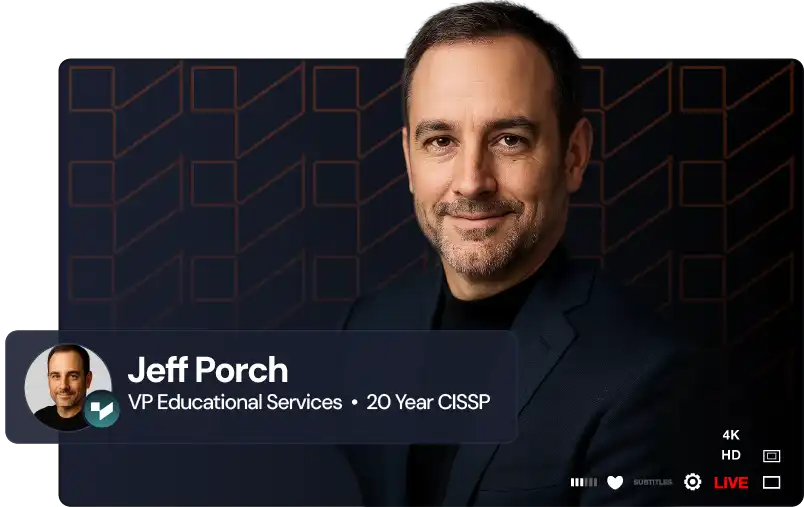
VP of Educational Services | Training Camp
Jeff Porch is the VP of Educational Services and Operations at Training Camp, where he leads the company's educational initiatives with a focus on accelerated learning and student success. Beyond overseeing curriculum development, Jeff serves as the lead course designer for Training Camp's CompTIA Security+ program, one of their most popular offerings. He is deeply involved in the instructional side of the business — developing certification courses, training instructors, and ensuring that complex IT concepts are delivered in ways that maximize retention and minimize time-to-certification.