


When I teach the security fundamentals portion of our CompTIA Security+ programI always start the social engineering module with the same exercise. I put two login pages on the screen side by side and ask students to tell me which one is the real bank. Usually about half the class picks the phishing page. These are IT professionals who already know what phishing is in theory. They can define it, they can list the indicators, they can recite the warning signs from memory. But when they look at an actual phishing site next to a legitimate one, they still get fooled.
That gap between textbook knowledge and actual recognition is what this article is about. A phishing website is not hard to define. It is a fraudulent page built to impersonate a legitimate brand so the attacker can steal credentials, payment information, session tokens, or authentication codes. The tricky part is that modern phishing sites do not look like the crude fakes from 2010. They have valid SSL certificates, they render perfectly on mobile, they use the exact logos and color palettes of the brand they are imitating, and in many cases they pull real content from the real site through a reverse proxy. So understanding what a phishing website actually is, in 2026, requires updating the mental model most people carry around.
A phishing website is a fraudulent web page designed to impersonate a legitimate brand and steal sensitive information from visitors, most commonly login credentials, payment card data, or authentication session cookies. Attackers lure victims to these sites through email, text messages, QR codes, or social media, then capture whatever the victim submits. APWG tracked 3.8 million phishing sites in 2025, and the average site stays live only a few days before takedown.
APWG tracked 3.8 million phishing attacks across 2025. That is roughly one new phishing site spun up every eight seconds, every day, all year. The old advice about spotting typos and bad grammar does not work anymore.
What Is a Phishing Website?
A phishing website is a web page designed to impersonate a trusted brand with the goal of tricking a visitor into handing over something valuable. That something is usually credentials, meaning a username and password combination. But it can also be credit card numbers, Social Security numbers, one time passcodes from a text message or authenticator app, session cookies, cryptocurrency wallet keys, or tax information. The site itself is just the delivery mechanism. The real product being stolen is trust.
Here is the classroom analogy I use. Imagine someone printed an exact copy of your bank’s physical building, put it on the empty lot next door, and hired actors to play the tellers. You walk in, hand your card and PIN to someone who looks like a bank employee, and walk out feeling like you did business. The building looked right, the people looked right, the forms looked right. The only thing that was wrong was the address. That is a phishing website. The attacker does not need to break into your actual bank. They just need to build a convincing replica and get you to walk through the wrong door.
The delivery mechanism, the thing that gets you to the wrong address in the first place, is usually email but increasingly is something else. APWG data from 2025 shows that SMS based phishing and QR code based phishing have both climbed sharply, while traditional email links have held roughly flat. The site at the end of the link is still the core weapon. What changed is how attackers walk you to it.
One distinction worth locking in early. A phishing email is the lure. A phishing website is the hook. The lure gets your attention and creates a reason to act. The hook is where you actually lose something. You can receive a phishing email and be completely safe, as long as you never land on the website. Every control you build, whether it is user training, email filtering, or DNS blocking, is aimed at keeping people from reaching the site in the first place.
Phishing vs Smishing vs Vishing vs Quishing
Phishing is the umbrella term, but the delivery channel determines what the attack is called and which defenses apply. All of these can end at the same fraudulent website. The difference is how you got there.
APWG’s Q3 2025 report noted that SMS based fraud detections rose nearly 35 percent in a single quarter, and Mimecast detected over 1.7 million unique malicious QR codes across a six month window. The channel mix shifts constantly. The destination, a fraudulent website, stays the same.
How Do Phishing Websites Get Built?
Understanding how these sites are created helps you understand why they look so convincing. Most phishing sites are not built by hand anymore. They are generated from phishing kits, which are packaged bundles of HTML, CSS, JavaScript, and backend code that an attacker can buy or download for free from various underground marketplaces. A phishing kit is essentially a ready to deploy fake site. You upload it to a compromised web server, point a domain at it, and you are in business within minutes.
The kits are usually pre configured to impersonate specific brands. You can get a kit for Microsoft 365, for Chase, for PayPal, for your regional postal service, for Netflix, for your country’s tax authority. The kits include the logos, the fonts, the page layouts, and the form fields that match the real site. When the victim enters credentials, the kit either stores them in a local file or emails them to the attacker’s address, sometimes both. Many modern kits also forward the credentials to the real site in real time and return the real site’s response to the victim, so the user never realizes anything went wrong. They log in, get their expected dashboard, and go about their day while the attacker now owns their account.
The Rise of Adversary in the Middle Kits
The most important evolution in phishing websites over the past three years is the shift from static kits to adversary in the middle kits. Tools like Evilginx2 and Modlishka operate as reverse proxies. The fake site does not contain a copy of the real page. It passes the victim’s browser through to the real site in real time, capturing everything that flows between them, including the session cookie that gets issued after a successful multi factor authentication.
This matters because it breaks the assumption that multi factor authentication protects against phishing. If you enter your password and then enter the six digit code from your authenticator app on a proxy phishing site, the attacker captures both and the session cookie issued in response. They can then load that cookie into their own browser and be logged in as you, with full multi factor authentication already satisfied. Microsoft reported detecting over 10,000 of these attacks per month targeting its users in 2024. This is not a theoretical concern. This is the new baseline.
Where Phishing Sites Actually Live
Students often assume phishing sites live on obviously sketchy domains in obscure countries. That is rarely true anymore. The hosting infrastructure behind modern phishing is built on legitimate services, which is part of what makes takedowns difficult and detection so unreliable.
Attackers frequently use compromised WordPress sites belonging to small businesses. A dentist office in Ohio might not know that their website is also hosting a fake Chase login page in a hidden subdirectory. The site’s owner does not notice anything because the phishing content is only visible when you follow a specific long URL. Attackers also use legitimate cloud services. Pages hosted on Microsoft’s own Azure infrastructure, on Google Sites, on Amazon S3 buckets, on Cloudflare Workers, and on newly registered domains purchased for a dollar are all common. APWG has documented thousands of phishing sites running on Cloudflare infrastructure specifically because attackers know that blanket blocking Cloudflare would break half the legitimate internet.
The Warning Signs That Still Work
Most security awareness training still teaches the old list of indicators. Look for typos. Check for HTTPS. Hover over the link. Watch for urgent language. Some of these still help. Others are outdated to the point of being actively misleading. Here is the honest breakdown I give students.
The padlock icon in your browser’s address bar is no longer a useful indicator. Somewhere around 2020 this stopped being reliable. Free SSL certificates from Let’s Encrypt are available to anyone, including attackers. Recent APWG reporting shows that the large majority of phishing sites now use HTTPS, which means the padlock tells you the connection is encrypted but says nothing at all about whether the destination is legitimate. Telling users to “check for the lock” in 2026 is training them to trust fake sites.
Poor grammar and typos used to be a strong signal, because most phishing came from non native English speakers working with limited tooling. Generative AI erased that signal. Attackers now produce emails and landing pages in perfect, idiomatic English, German, Spanish, or whatever language the campaign targets. A University of Oxford study found that AI generated phishing content got clicked at significantly higher rates than traditional phishing, because nothing in the writing tips off the reader. If you are still teaching employees to look for typos as the primary indicator, you are training them to be fooled by anything written after 2023.
Indicators That Still Have Value
The one thing attackers cannot perfectly fake is the domain name. They can get close. They can register lookalikes, use Unicode characters that resemble Latin letters, or add words that make the URL look plausible. But they cannot actually own microsoft.com or chase.com or your real bank’s primary domain. That is the single most reliable indicator you have. Here is the checklist I teach.
Common Phishing Site Types You Will Actually Encounter
Not all phishing sites go after the same thing. When I train analysts, I break them into a few categories because the defenses and the damage profile differ for each one. Knowing the type helps you predict what happens next.
Credential Harvesters
The most common category. A fake login page for Microsoft 365, Google Workspace, a bank, a crypto exchange, or any other service where a username and password unlock something valuable. APWG’s Q4 2025 data shows that SaaS and webmail platforms and social media were the most attacked sectors, each accounting for over 20 percent of tracked phishing activity. These are credential harvesters.
Once the credentials are captured, the attacker either sells them on a marketplace, uses them to pivot into a corporate network, or uses them to launch further phishing from the compromised account. The same account that got phished on Monday becomes the sender of the next phishing wave on Wednesday, which is devastating because the emails come from a real coworker’s real address.
Payment Card Collection Sites
These impersonate retailers, parcel carriers, toll agencies, or utility companies. The lure is usually a small unpaid fee. “Your package cannot be delivered until you pay a $2.99 surcharge.” The victim enters card details expecting to pay the small amount, and the attacker captures the full card number, expiration, and CVV. They do not use it for the $2.99 transaction. They sell the card data in bulk, or run it against larger purchases elsewhere.
OpSec Security documented scammers expanding into new industries in 2025, including public utilities, parking meter systems, and bridge toll collection. If there is a small fee people expect to pay online, there is probably a phishing site built around it.
Session Hijack Sites (AiTM)
The adversary in the middle kits discussed earlier. These do not care about stealing your password in isolation. They want the authenticated session cookie that gets issued after you complete multi factor authentication. Because the victim interacts with what looks like the real login flow (because most of it actually is the real login flow, relayed through the attacker’s proxy), there is almost nothing in the user experience that tips them off.
This is the category I spend the most time on in advanced security training, because it defeats the single most common security control that organizations point to. Telling users “we have MFA so we are safe from phishing” is not true in 2026, and pretending otherwise creates a dangerous gap between perceived and actual risk.
Malware Delivery Pages
Not every phishing site asks for credentials. Some just drop malware. These pages might pose as a document viewer asking you to download a PDF, a software update page, or a fake CAPTCHA that tells you to paste a command into your Windows Run dialog. That last one is a technique called ClickFix that exploded in 2024 and stayed common through 2025. The user is walked through a convincing flow that ends with them running a PowerShell command that installs an information stealer on their own machine.
If you are responsible for endpoint protection, these sites should be on your radar. No amount of email filtering helps once a user willingly executes the attacker’s payload themselves.
What Should You Do If You Already Clicked a Phishing Link?
This is the part most articles get wrong. They give people a panic response list full of steps that do not match their actual situation. The correct response depends on what you did on the site. Simply visiting a phishing page rarely results in compromise on its own. The danger comes from what you submitted or what you downloaded.
If you only visited the site and closed the tab without entering anything or downloading anything, your risk is low. Run a quick antivirus scan to be safe, but you probably do not have a serious problem. If you entered credentials, assume they are compromised. Change the password on the real service immediately, and change it anywhere else you used the same password. Revoke any active sessions through the service’s security settings. Enable multi factor authentication if you had not already, and if you had multi factor enabled and entered a code on the phishing site, assume your session is hijacked and revoke all active sessions immediately.
If you entered payment card information, call your bank’s fraud line, which is printed on the back of the card. Do not use any contact number provided in the suspicious message. If you downloaded and ran a file, disconnect the machine from the network and treat it as potentially compromised until someone can verify it. If this happened on a work machine, report it to your IT or security team right away. Every minute that passes before they know is a minute the attacker has to move.
The reporting step people skip: After you have handled the immediate response, report the phishing site. For email lures, forward the message to reportphishing@apwg.org. In the US, report at reportfraud.ftc.gov and, if there was financial loss, at ic3.gov. Browsers like Chrome and Edge have built in reporting for unsafe sites. Reporting does not help you directly, but it shortens the lifespan of that specific site for everyone else. The average phishing site is only live for a few days. Every report speeds up the takedown.
What Actually Protects Organizations From Phishing Websites?
If you run security for an organization, the question is not whether your people will encounter phishing sites. They will. The question is what happens when they do. I teach defense in layers, because no single control stops modern phishing and any vendor who tells you otherwise is selling something.
Email filtering and URL rewriting catch the majority of obvious lures before they reach inboxes. This is the first layer and it is still worth having, even though sophisticated campaigns get through. DNS layer filtering through services like Cisco Umbrella, Cloudflare Gateway, or Quad9 blocks known malicious domains at the lookup stage, so even if a user clicks a bad link, the browser cannot reach the destination. Endpoint protection with behavioral detection catches the malware payloads when the earlier layers fail. Phishing resistant authentication, meaning FIDO2 security keys or passkeys rather than SMS codes or authenticator apps, is the only reliable defense against adversary in the middle attacks. When a FIDO2 key signs a login, it cryptographically binds the signature to the real domain. A proxy phishing site cannot replay that signature to the legitimate service.
On top of all of that, ongoing user training. Not the annual click through compliance module that everyone ignores. Regular, practical, realistic simulated phishing exercises followed by non punitive coaching when someone falls for one. The goal is not to catch people out. It is to build the habit of pausing, checking the domain, and confirming through a known path. Our article on building an effective security awareness program walks through what that looks like in practice, and the companion piece on reading security logs covers how to spot the aftermath when something does slip through.
The Training Gap Worth Closing
One pattern I see over and over. Organizations invest in email filtering, spend money on MFA, and feel protected. Then a single adversary in the middle campaign gets through and compromises an executive account, and suddenly the post incident review is asking why nobody in security had ever talked about AiTM phishing. The answer is almost always the same. The security team knew. The users did not. The training program was stuck in 2019.
If your security awareness content has not been updated to reflect AI generated phishing, QR code phishing, MFA bypass, and mobile first attack flows, your users are being protected against last decade’s threats. That is not the users’ fault. It is a curriculum problem, and it is fixable.
Frequently Asked Questions About Phishing Websites
What happens if you just visit a phishing website?
Simply loading a phishing page without entering information or downloading anything rarely causes direct compromise. Most phishing sites need you to submit data or run a file before they can do damage. The risk rises sharply the moment you type credentials, enter payment information, scan a code, or download an attachment. Closing the tab and running a quick antivirus scan is usually sufficient if nothing was submitted.
How can I check if a website is a phishing site?
Read the domain right to left, stopping at the first single slash. That is the real site you are visiting. Check for look alike characters, unusual top level domains like .xyz or .online on brand names, and subdomains that contain the brand name instead of the actual domain. If you are uncertain, close the tab and navigate to the real site through a saved bookmark or by typing the domain you already know. Do not rely on the padlock icon because most phishing sites use valid SSL certificates in 2026.
Can a phishing website steal my information without me typing anything?
Rare but possible. A phishing page can serve a drive by download that exploits an unpatched browser vulnerability, or can contain scripts that try to harvest browser fingerprints and stored cookies. These attacks are uncommon because they require a working exploit, which most attackers do not bother with when social engineering works better. Keeping your browser and operating system fully patched eliminates the majority of drive by risks.
Can phishing websites bypass multi factor authentication?
Yes, through adversary in the middle attacks. Proxy phishing kits like Evilginx2 and Tycoon 2FA capture the authenticated session cookie issued after a successful MFA login, letting the attacker replay your authenticated session from their own browser. This defeats SMS codes, authenticator app codes, and push notifications. FIDO2 security keys and passkeys are currently the only widely available MFA methods that resist this attack, because they cryptographically bind the authentication to the real domain.
How long do phishing websites stay online?
Most phishing sites are operational for only a few days before browser safe browsing lists, hosting providers, or registrars take them down. This short lifespan is why attackers spin up thousands of new sites continuously. A given campaign might only need a site to stay live long enough to capture a few hundred credentials before moving on.
What do I do if I entered my password on a phishing site?
Change the password on the real service immediately, then change it on every other account where you reused the same password. Revoke all active sessions through the service’s security settings so any hijacked session is invalidated. Enable multi factor authentication if it was not already on. If you work for an organization, report the incident to your IT or security team right away so they can monitor the account for misuse.
Where do I report a phishing website?
Forward phishing emails to reportphishing@apwg.org. In the United States, report consumer phishing at reportfraud.ftc.govand report phishing that caused financial loss at ic3.gov. Google Chrome and Microsoft Edge both have built in reporting for unsafe sites through their browser menus. Report the site to the brand being impersonated through their security contact page as well.
What is the most common type of phishing website in 2026?
According to APWG’s Q4 2025 report, the most heavily attacked sectors are social media platforms and SaaS/webmail services, each representing roughly 20 percent of tracked phishing activity. Microsoft 365 credential harvesters remain the single most common phishing site type, because a compromised business account gives attackers a foothold for further attacks, data theft, or business email compromise.
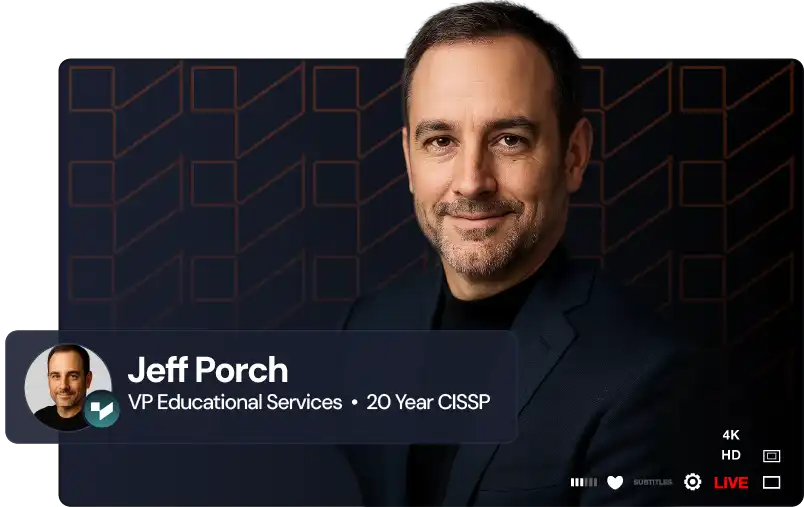
VP of Educational Services | Training Camp
Jeff Porch is the VP of Educational Services and Operations at Training Camp, where he leads the company's educational initiatives with a focus on accelerated learning and student success. Beyond overseeing curriculum development, Jeff serves as the lead course designer for Training Camp's CompTIA Security+ program, one of their most popular offerings. He is deeply involved in the instructional side of the business — developing certification courses, training instructors, and ensuring that complex IT concepts are delivered in ways that maximize retention and minimize time-to-certification.