


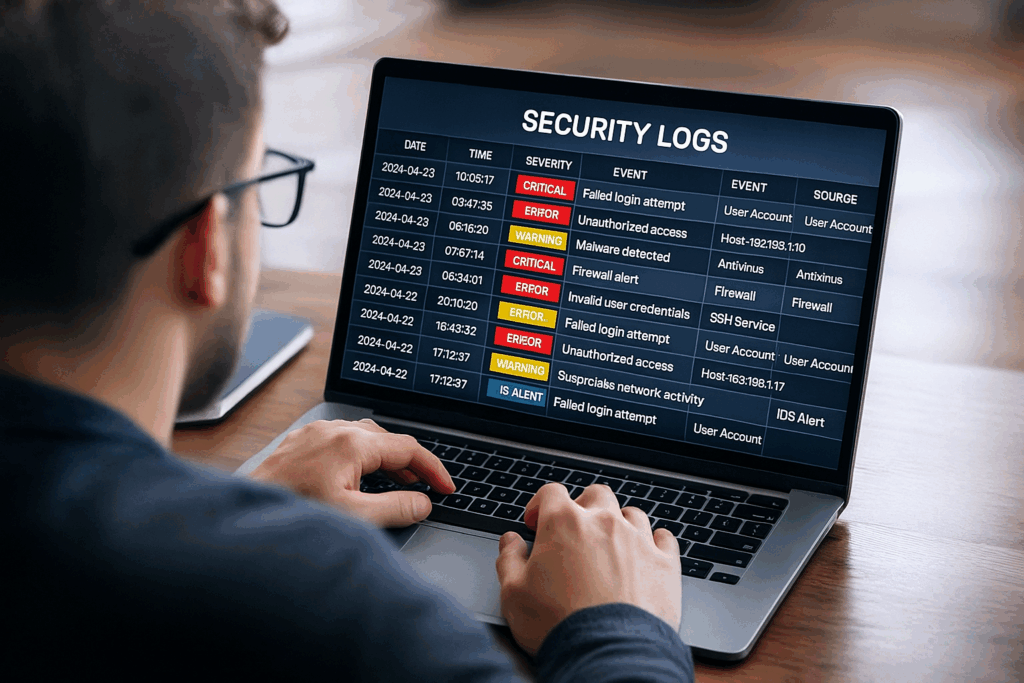
Here’s something that puzzles me after two decades in IT education. We spend months teaching people how to pass certification exams, build networks, and configure firewalls. But when it comes to actually reading security logs, the skill that security analysts use every single day, most training programs barely scratch the surface. Students show up to their first SOC job with Security+ or even CISSP certifications, stare at a SIEM dashboard full of logs, and realize they have no idea what they’re looking at.
I’ve spent years developing Training Camp’s Security+ programand one thing I’ve learned is that log analysis is the gap between certification and competence. The exams test whether you know what a log file is, but they don’t prepare you for the reality of reviewing thousands of events per day, distinguishing noise from threats, and actually finding the needle in the haystack. This article fills that gap by teaching you the practical skills that certification programs skip.
Log analysis isn’t optional for security professionals. It’s foundational. Yet somehow, it’s the skill nobody actually teaches.
Why Is Log Analysis the Most Underrated Security Skill?
Security logs are your organization’s digital diary. Every authentication attempt, network connection, file access, and configuration change gets recorded somewhere. When something goes wrong, these logs contain the evidence you need to understand what happened, who did it, and how to prevent it from happening again.
But here’s the problem. Most security professionals learn log analysis through trial and error on the job, usually under pressure during an active incident. They make mistakes, miss critical details, and develop inefficient habits that stick with them throughout their careers. According to research on SOC operations, security analysts spend an average of 194 days to detect a data breach, and much of that delay comes from not recognizing the warning signs buried in log files.
The stakes are high. If you can’t read logs effectively, you can’t detect threats, respond to incidents, or prove compliance. You become dependent on automated tools that flag potential issues, but you still need to interpret what those tools are telling you. Log analysis isn’t optional for security professionals. It’s foundational.
Think of log analysis like learning to read medical charts. A doctor doesn’t just look at one vital sign in isolation. They examine multiple data points together, understand what’s normal for that patient, and recognize patterns that indicate problems. Security log analysis works the same way. You need context, baselines, and pattern recognition to separate real threats from routine noise.
Understanding SIEM Basics: Your Log Analysis Hub
Security Information and Event Management systems are the central nervous system of modern security operations. A SIEM collects logs from every corner of your infrastructure, firewalls, servers, applications, cloud services, endpoints, and network devices, then aggregates them into a single searchable repository. This centralization is important because threats rarely announce themselves in one place. An attacker might probe your firewall, authenticate through a compromised account, access sensitive files, and exfiltrate data. Each action creates logs in different systems, but only a SIEM lets you see the complete picture.
For professionals just starting with log analysis, understanding how SIEMs work will save you from feeling overwhelmed. The system does three main things. First, it collects raw log data from configured sources using agents or agentless methods. Second, it normalizes that data into a standard format so that a Windows authentication log and a Linux SSH log can be compared side by side. Third, it correlates events across different sources using detection rules to identify patterns that might indicate security incidents.
The Three Types of Log Data You’ll Encounter
When you start working with security logs, you’ll quickly realize that not all logs are created equal. Understanding the different types helps you prioritize what to pay attention to and what context each log type provides.
System logs capture operating system events like service starts and stops, system errors, and resource usage. These logs tell you about the health and configuration of your systems. While they’re not always security-focused, they’re invaluable for understanding the environment where security events occur. A sudden spike in system errors might precede a crash that an attacker triggered, or unusual service restarts could indicate someone tampering with security controls.
Application logs record what’s happening inside specific software. Authentication logs show who’s logging in and out. Database logs track queries and data access. Web server logs capture every HTTP request. These logs are security goldmines because they show how users and systems interact with your critical assets. A failed database query might be a SQL injection attempt. Unusual API calls could indicate credential theft. Multiple failed login attempts followed by a success is the signature of a brute force attack.
Network logs document traffic patterns and connections. Firewall logs show what traffic was allowed or blocked. NetFlow data reveals communication patterns between systems. DNS logs track which domains your users and systems are contacting. Network logs help you spot lateral movement, command and control traffic, and data exfiltration. They answer critical questions like what system is talking to what other system, when did this communication start, and is this traffic pattern normal for our environment.
Log Levels and What They Mean
Most logging systems use standard severity levels that help you quickly understand the importance of an event. These levels follow a hierarchy, and learning to interpret them correctly will help you triage your workload effectively.
Fatal or Critical events indicate that something catastrophic has happened. An application crashed, a critical service stopped, or a system became unresponsive. These events demand immediate attention because they represent complete failures that likely impact business operations. In security terms, a Critical event might be a total authentication system failure or a critical security control being disabled.
Error events represent failures that don’t bring down the entire system but require attention. A database connection failed, a file couldn’t be accessed, or a security policy was violated. Error-level events are your daily bread and butter as a security analyst. They often contain the first indicators of attacks in progress, like repeated authentication failures or blocked malicious requests.
Warning events suggest potential problems that haven’t caused failures yet. Disk space is running low, a certificate is about to expire, or an unusual but not necessarily malicious pattern was detected. Warnings give you the opportunity to address issues before they become serious problems. In security monitoring, warnings often highlight suspicious behavior that doesn’t quite cross the threshold to being classified as an attack.
Informational and Debug events record normal operations and detailed diagnostic data. These logs create massive volumes but usually don’t require action. However, when you’re investigating an incident, these detailed logs become important for understanding exactly what happened step by step. Many security investigations require correlating informational events from multiple systems to reconstruct an attacker’s actions.
How Do You Actually Read Security Logs?
Reading individual log entries is one thing. Recognizing patterns across thousands of log entries is what separates competent security analysts from those who constantly miss threats. Pattern recognition isn’t about memorizing every possible attack signature. It’s about understanding what normal looks like in your environment and spotting deviations from that baseline.
Start by learning your organization’s rhythm. Business applications have predictable patterns. Your ERP system probably sees heavy usage during business hours and quiets down at night. Your backup systems run on schedules. User authentication follows patterns tied to work schedules and time zones. When you understand these rhythms, anomalies become obvious. Why is someone accessing the financial database at 3 AM on a Sunday? Why is a marketing employee suddenly querying the HR system? Why is there a spike in outbound traffic at midnight?
Common Attack Patterns in Logs
Certain patterns appear repeatedly in security incidents, and recognizing them quickly will make you more effective as an analyst. These patterns represent the tactics that attackers use most frequently because they work.
Time-Based Analysis Techniques
The timestamps in your logs are just as important as the events themselves. Security incidents unfold over time, and understanding the temporal relationships between events helps you reconstruct what actually happened.
When you’re investigating a potential incident, build a timeline. Start with the first suspicious event and work forward, collecting related events from all relevant systems. A complete timeline might show an initial phishing email, followed by a user clicking a malicious link, then malware downloading additional payloads, then lateral movement to other systems, and finally data exfiltration. Each step leaves logs, but only by putting them in chronological order can you see the complete attack chain.
Pay attention to time zones and clock synchronization. Logs from different systems might use different time zones or have slightly desynchronized clocks. A five-minute difference in system clocks can completely distort your timeline and make you think events happened in the wrong order. Most SIEMs normalize timestamps to a common time zone, but always verify this when investigating complex incidents that span multiple systems.
Practical Exercise: Take any security alert from your SIEM and trace it back to its root cause by building a complete timeline. Don’t just look at the event that triggered the alert. Go back 30 minutes and see what led up to it. Then look forward to see what happened afterward. This exercise trains you to think beyond individual events and see the broader context of security incidents. When I teach students in our certification programsthis timeline-building exercise is where everything clicks together.
How Do You Manage False Positives in Security Logs?
False positives are the bane of every security analyst’s existence. These are alerts that flag legitimate, benign activity as potentially malicious. Research shows that organizations experience false positive rates anywhere from 20% to over 50% of all security alerts. That means security teams spend more time investigating harmless events than actual threats. This isn’t just annoying, it’s dangerous. Alert fatigue causes analysts to become desensitized to warnings, and real attacks slip through while teams are drowning in noise.
Understanding why false positives happen is the first step to reducing them. Most stem from detection rules that are too broad or too sensitive. A rule that alerts on any failed login attempt will fire constantly as users mistype passwords. A rule that flags any administrative action will trigger every time IT does routine maintenance. A geographic location rule that alerts on logins from unexpected countries will fire when your sales team travels or remote employees work from vacation.
Common Sources of False Positives
Certain types of activities generate false positives more than others, and recognizing these patterns will save you countless hours of wasted investigation time. The key is learning to distinguish between activity that looks suspicious but is actually legitimate business operations.
Security scanning and testing activities are major false positive generators. Your vulnerability scanners, penetration testing tools, and security assessment platforms intentionally probe systems looking for weaknesses. These activities trigger alerts because they look exactly like real attacks, port scans, authentication attempts, exploit testing, and unusual network connections. The difference is that these actions come from known internal tools rather than external attackers. Many organizations fail to whitelist their security testing infrastructure, leading to thousands of meaningless alerts every month.
Software updates and deployments create unusual patterns that trigger alerts. A patch deployment might cause thousands of systems to restart simultaneously. An application update might change how services interact. A new feature rollout might introduce unfamiliar API calls or network connections. Without context about planned changes, these legitimate maintenance activities look suspicious. This is why change management integration with your SIEM is important. When you know that 500 servers were scheduled for patching, you can quickly dismiss the corresponding alerts rather than investigating them individually.
User behavior variations cause many false positives, especially with detection rules based on behavioral baselines. An employee working late to meet a deadline, a remote worker logging in from a hotel during business travel, or a power user accessing systems they rarely touch for a special project. These are all legitimate activities that deviate from normal patterns. The challenge is distinguishing between unusual but legitimate behavior and suspicious activity. This requires understanding not just what’s normal for your organization overall, but what’s normal for specific users and roles.
Strategies for Reducing False Positives
Reducing false positives requires a systematic approach that combines technical tuning with operational discipline. You can’t eliminate all false positives, but you can reduce them to a manageable level that doesn’t overwhelm your security team.
Start by defining what actually constitutes an actionable alert. Ask yourself a simple question for every detection rule: when this alert fires, what immediate action should we take? If the answer is “nothing” or “we’ll investigate it later,” then that’s not an alert, it’s information that belongs in a report or dashboard. True alerts demand immediate investigation and response. Everything else is noise that should be routed differently.
Tune your detection rules continuously. When you investigate a false positive, don’t just close the ticket and move on. Adjust the rule that generated it so the same false positive doesn’t recur. Maybe you need to add an exclusion for specific source IPs or user accounts. Perhaps the threshold needs adjustment, like changing from “any failed login” to “five failed logins within two minutes.” Or you might need to add additional context, like only alerting on failed administrative logins rather than all failed logins. Each tuning adjustment makes your system smarter and reduces future noise.
Here’s a reality check from my years helping organizations implement security monitoring programs. Your SIEM will never be perfectly tuned. Your environment constantly changes with new applications, infrastructure updates, and business processes. Accept that tuning is ongoing maintenance, not a one-time project. Schedule regular tuning sessions, track your false positive rate, and continuously improve. The organizations that succeed with SIEM are those that treat it as a living system that requires continuous care and feeding.
Real Incident Examples: Learning from Actual Log Analysis
Theory is important, but nothing teaches log analysis like working through real incidents. Let me walk you through a few examples that demonstrate how log analysis works in practice and what you should be looking for when investigating security alerts.
Example 1: The Compromised Credential Attack
An alert fires showing a successful login to the VPN from an unusual geographic location. The initial alert shows user “jsmith” authenticating from an IP address in Romania, while your records show this user is based in Chicago and has never logged in from Eastern Europe before. On its own, this could be a false positive, maybe the user is traveling. But this is where log analysis skills separate good analysts from great ones.
You pull the authentication logs and see something interesting. The Romanian login happened at 2:47 AM Chicago time. You check the broader authentication history and find that the same user account also logged in from Chicago at 2:35 AM, just 12 minutes earlier. Unless this user can teleport across the Atlantic Ocean, you’re looking at credential compromise. Someone else is using stolen credentials.
Now you expand your investigation. What did the attacker do after gaining access? You check file access logs and see unusual activity. The compromised account accessed the HR shared drive and downloaded personnel files, something this user never does in their normal job as a marketing coordinator. Network logs show the account then connected to the financial database server and ran queries retrieving customer payment information. The entire attack took 23 minutes before the attacker disconnected.
Example 2: The Insider Threat
Your data loss prevention system flags an alert showing a large file upload to a personal cloud storage account. The user is a software developer with legitimate access to your source code repositories. File uploads to cloud storage happen all the time, so this could easily be dismissed as a false positive. But good log analysis requires digging deeper.
You check the file access logs and notice this developer accessed multiple repositories they don’t normally work with. Over the past three days, they’ve been systematically downloading code from projects across the organization, not just their assigned projects. The pattern shows methodical collection rather than random browsing. You also notice the downloads are happening after normal business hours, when fewer people are around to notice unusual activity.
Email logs reveal something interesting. Three weeks ago, this developer received a job offer from a competitor. Your HR system shows they submitted resignation notice two days ago. Now the pattern becomes clear. This isn’t random file access. It’s an employee taking intellectual property on their way out the door. The logs provided the evidence needed to confirm theft and take appropriate legal action.
Lesson from Real Incidents: The best security analysts are naturally curious and slightly skeptical. They don’t just accept alerts at face value. They ask questions, look for corroborating evidence, check timelines, and consider alternative explanations. This mindset prevents both false positives from wasting your time and false negatives from allowing real attacks to proceed undetected. When we train security analysts at Training Camp, developing this investigative mindset is just as important as teaching technical skills.
Building Your Log Analysis Skills: A Practical Roadmap
Learning log analysis isn’t something you can do purely from reading articles or watching videos. It requires hands-on practice with real log data. Here’s how to systematically develop this essential skill, whether you’re preparing for your first security role or trying to level up your existing capabilities.
Start with Your Own Systems
If you’re currently working in IT or security, you already have access to logs. Start exploring them. Pick a system you’re familiar with and spend time just reading its logs. Don’t wait for an alert or incident. Just observe what normal operations look like. Watch what happens when users log in successfully versus when they fail authentication. See what firewall logs look like during regular business traffic. Notice the patterns in application logs when everything is working correctly.
This baseline understanding is important because you can’t recognize abnormal activity until you thoroughly understand normal activity. Most security training focuses on what attacks look like, but experienced analysts know that understanding normal operations is equally important. Spend a week just observing logs without trying to find problems. Take notes on patterns you notice. Document the typical volume of events, common timestamps, and regular error messages that occur during routine operations.
Build a Home Lab Environment
For those preparing to enter the field, setting up a home lab gives you a safe environment to practice without risking production systems. You don’t need expensive hardware. A decent laptop running virtual machines can host a simple logging environment. Install a free SIEM like Security Onion or the free tier of Splunk. Set up a few virtual machines running different operating systems. Generate some traffic between them and watch how it appears in logs.
The value of a home lab isn’t just technical practice. It’s about building muscle memory for log analysis workflows. How do you search for specific events? How do you filter out noise to focus on interesting activity? How do you correlate events across different log sources? These skills become intuitive with practice, but they’re awkward and slow when you’re learning. Better to be awkward and slow in your home lab than during a real security incident at work.
Get Certified With Practical Skills Focus
Certifications provide structured learning paths and validate your knowledge to employers. For log analysis skills, focus on certifications that include hands-on components rather than just multiple-choice exams. The CompTIA Security+ covers log analysis fundamentals and includes performance-based questions that test practical skills. More advanced certifications like CISSP expect you to understand log analysis in the context of broader security operations and incident response.
The key is not just passing the exam but actually developing the skills the certification represents. Use your certification study as an opportunity to practice log analysis, not just memorize concepts. When you study incident response procedures, practice them with actual logs. When you learn about authentication protocols, generate authentication logs in your home lab and examine them. Connect theoretical knowledge to practical application at every opportunity.
Frequently Asked Questions
What does a SIEM actually do?
A SIEM collects logs from firewalls, servers, applications, cloud services, endpoints, and network devices into one searchable repository. It then normalizes that data into a standard format so a Windows authentication log and a Linux SSH log can be compared side by side. Finally, it correlates events across sources using detection rules to spot patterns that might indicate an incident.
What are the main types of security logs I need to know?
There are three. System logs capture operating system events like service starts, errors, and resource usage. Application logs record authentication, database queries, and web requests, and network logs document firewall decisions, NetFlow data, and DNS lookups. Each type gives you a different piece of context about what happened.
How do I recognize a brute force attack in logs?
Look for multiple failed authentication attempts from the same source IP or against the same account within a short timeframe. Legitimate users might fail once or twice, but attackers generate dozens or hundreds of failures. A string of failures followed by a success is the classic signature.
Why do SIEMs produce so many false positives?
Most false positives come from detection rules that are too broad or too sensitive, like alerting on any failed login or any administrative action. Security scanners, software deployments, and ordinary changes in user behavior also look suspicious without context. Organizations see false positive rates anywhere from 20% to over 50% of all alerts.
How can I practice log analysis without a job in security?
Build a home lab on a decent laptop running virtual machines. Install a free SIEM like Security Onion or the free tier of Splunk, set up a few virtual machines with different operating systems, and generate traffic between them. Then practice searching, filtering, and correlating the events that appear.
‘; echo “WP Author Name: ” . get_the_author_meta( ‘display_name’, $author_id ) . “\n”. Echo “WP Author Bio: ” . get_the_author_meta( ‘description’, $author_id ) . “\n”. Echo “WP Author URL: ” . get_the_author_meta( ‘user_url’, $author_id ) . “\n”. Echo “WP Author Image: ” . get_avatar_url( $author_id ) . “\n”; // AIOSEO’s Author SEO fields (Pro addon) echo “AIOSEO Job Title: ” . get_user_meta( $author_id, ‘aioseo_author_job_title’, true ) . “\n”. Echo “AIOSEO Knows About: ” . get_user_meta( $author_id, ‘aioseo_author_knows_about’, true ) . “\n”. Echo “AIOSEO Awards: ” . get_user_meta( $author_id, ‘aioseo_author_awards’, true ) . “\n”. Echo “AIOSEO Alumni Of: ” . get_user_meta( $author_id, ‘aioseo_author_alumni_of’, true ) . “\n”. Echo “AIOSEO SameAs: ” . get_user_meta( $author_id, ‘aioseo_author_same_as’, true ) . “\n”. Echo ‘
‘;
?>
VP of Educational Services | Training Camp
Jeff Porch is the VP of Educational Services and Operations at Training Camp, where he leads the company's educational initiatives with a focus on accelerated learning and student success. Beyond overseeing curriculum development, Jeff serves as the lead course designer for Training Camp's CompTIA Security+ program, one of their most popular offerings. He is deeply involved in the instructional side of the business — developing certification courses, training instructors, and ensuring that complex IT concepts are delivered in ways that maximize retention and minimize time-to-certification.