Hello, you are using an old browser that's unsafe and no longer supported. Please consider updating your browser to a newer version, or downloading a modern browser.

CompTIA Partner Award Winner

Master CompTIA A+ & Network+ Fast

Dual certification CompTIA Boot Camp with a 94% pass rate. Expert training in IT support and networking, mobile app, exam vouchers, free retake, and hands-on labs included. Train like your career depends on it.

Student
Student
Student
Join 250,000+ certified alumni.
CISSP Professional

94%

A+/N+ Pass Rate

Official CompTIA

Authorized Training

Proven by 50,000+. Perfected to 94%

Start Monday. Test in Class. No Waiting.
Onsite Testing Center Onsite Testing Center - Take your exam at our Pearson VUE facility immediately after class.
No Risk.

7 intensive days designed for senior security professionals who need results fast. Get certified in under two weeks with our pass guarantee.

Program Abstract

REF: A+N+-Combo 6
Curriculum aligned to the latest Exam Outline.
Format Live, Instructor-Led
Duration 7

The A+/Network+ is Hard. We Know How to Pass It.

This intensive 7-day boot camp program covers all domains of the A+/Network+ certification, teaching you proven strategies to pass on your first attempt. Our expert instructors guide you through the material with hands-on exercises and real-world scenarios. By Wednesday, you’ll be ready to test.

Official CompTIA Training.

Third-party materials can’t keep up with exam changes. We use CompTIA’s authorized courseware, so you’re studying exactly what’s on the test—not outdated guesswork.

System Integrity Check
Content Source CompTIA Official
Curriculum Ver. v2025.1
Instructor Auth. Verified
Exam Alignment 100% MATCH

Exam Fee Included.

$920 in exam vouchers included with your enrollment. No surprise costs, no last-minute purchases—just focus on passing.

Mobile Learning

Start Right Away

Unlock iOS/Android app immediately upon enrollment.

Authorized Material

Course from the Source

The only curriculum 100% aligned to the 2025 exam.

All-Inclusive

Exam Fee Included

We cover your $920 exam fee. No hidden costs.

Sim Engine

Exam Deja Vu

Practice with CAT-style questions. No surprises.

Insurance Policy

Pass Guarantee

Unlimited class returns if you need a second shot.

Flexible Schedule

Training Fits Your Life

Day, evening, online or in-person—your choice.

Test Center

Test While It's Fresh

Take your exam on-site within 7 days of class.

Expert Support

Never On Your Own

180 days of unlimited 1-on-1 coaching after class.

Test in Class. No Waiting.

Our private Pearson VUE testing center means you take your exam immediately after class. No scheduling delays, no waiting weeks to test while knowledge fades.

Sunday 5PM
Bootcamp Concludes - You leave with a personalized attack plan.
Class Ends
Unlimited 1-on-1
AI Gap Analysis - We identify your weak domains using our simulation engine.
Gap Analysis
Exam Day
Pass Guarantee Active - If you don't pass, your next seat is free.
Certified
·
Training materials including official courseware and study guides
Practitioner Led
Instructors are working security professionals, not just trainers.

"I don't teach from a textbook. I teach what happens in the SOC when the alert fires."

Jeff Porch

VP Ed. Services • CISSP, CISM CISSP: Certified Information Systems Security Professional. CISM: Certified Information Security Manager.

Choose Your Delivery Mode.

Same Curriculum
In-person classroom training session
A

In-Person

Immersive classroom experience with direct instructor access and peer collaboration.

  • Face-to-face instruction
  • On-site exam option
Student attending live online training
B

Live Online

Same instructors, same curriculum - learn from anywhere using our award-winning virtual learning platform.

  • Zero travel required
  • Interactive breakout rooms
Get Started Today

Explore Your Training Options

Tell us about your training needs and we'll create a personalized plan.

Award-Winning Certification Training

Certify with CompTIA Partner of the Year

Learn from an award-winning CompTIA Platinum Partner.

ccsp cloud certification training clock

All-Inclusive 7 Day Boot Camp Course

Get Skilled, CompTIA Certified, & Back to Work, Fast.

ccsp flower

Reduce Stress – Free Exam Retake

With exam assurance, you get a free second exam voucher and course retake.

light bulb icon

Work Smarter – Gain Practical Expertise

Our learning methods help you pass the exam with confidence. They also give you useful knowledge for real-life situations.

cloud stars

Career Security – In Demand Certs

Our training enhances your long-term career prospects, ensuring your skills and credentials stand out.

ccsp sunglasses

Dedicated Support – Ongoing mentoring

Gain access to your instructor and valuable cybersecurity resources for continued support after class ends.

CompTIA A+/Network+ Boot Camp

Accepting Inquiries
+1

    Eligible for Special Pricing?

    We respect your privacy. No spam.

    COURSE STRUCTURE

    CompTIA Training Camp
    Syllabus

    A structured path designed for working professionals.
    Each day builds on the last—momentum is everything.

    Request Info

    MODULE_ID: PREP

    WEIGHT: 20% QS: ~5
    BEFORE CLASS
    Critical Path

    Before Class

    Pre-course materials access
    L.prep.1
    Foundation concepts review
    L.prep.2
    Baseline self-assessment
    L.prep.3

    MODULE_ID: A+/N+-01

    WEIGHT: 20% QS: ~5
    DAY ONE
    Critical Path

    Day 1 – Introduction to CompTIA A+ & Hardware Fundamentals

    Course & Exam Overview: Introduction to course objectives, exam structure, and certification benefits.
    L.01.1
    IT & Hardware Essentials: Overview of computer components; understanding motherboards, CPUs, RAM, storage devices, and power supplies.
    L.01.2
    Peripheral Devices & Connectivity: Overview of cables, connectors, and peripheral devices.
    L.01.3
    Hands‑On Lab: Identifying and assembling key hardware components.
    L.01.4
    Q&A & Recap
    L.01.5

    MODULE_ID: A+/N+-02

    WEIGHT: 40% QS: ~6
    DAY TWO
    Critical Path

    Day 2 – Operating Systems & Software Management

    Operating Systems Overview: Introduction to Windows, macOS, and Linux environments.
    L.02.1
    Installation & Configuration: Best practices for installing and configuring operating systems.
    L.02.2
    Software & System Troubleshooting: Techniques to diagnose and resolve software issues.
    L.02.3
    Virtualization & Cloud Basics: Introduction to virtualization concepts and cloud computing fundamentals.
    L.02.4
    Hands‑On Lab: OS installation and basic troubleshooting exercises.
    L.02.5
    Interactive Q&A
    L.02.6

    MODULE_ID: A+/N+-03

    WEIGHT: 40% QS: ~6
    DAY THREE
    Critical Path

    Day 3 – Mobile Devices, Basic Networking & Security Fundamentals

    Mobile Device Management: Configuring, synchronizing, and troubleshooting mobile devices.
    L.03.1
    Introduction to Networking (A+ Focus): Overview of networking basics including cables, ports, and protocols.
    L.03.2
    Security Essentials: Fundamental security practices, authentication methods, and malware protection strategies.
    L.03.3
    Hands‑On Lab: Mobile device configuration and testing basic network connectivity.
    L.03.4
    Review & Q&A
    L.03.5

    MODULE_ID: EXAM

    WEIGHT: 60% QS: ~7
    EXAM DAY
    Final Stage

    Day 4 – Advanced Troubleshooting & A+ Exam Preparation

    Advanced Troubleshooting Techniques: In‑depth approaches for diagnosing hardware and software
    L.exam.1
    Operational Procedures: Emphasizing best practices, safety protocols, and documentation.
    L.exam.2
    Maintenance & Optimization: Strategies for system upkeep and performance improvement.
    L.exam.3
    Exam Preparation Workshop: Review of key A+ concepts, practice questions, and exam‑taking strategies.
    L.exam.4
    Final Q&A Session for A+ Module
    L.exam.5

    MODULE_ID: A+/N+-05

    WEIGHT: 60% QS: ~7
    DAY FIVE
    Critical Path

    Day 5 – Introduction to CompTIA Network+ & Networking Fundamentals

    Network+ Overview: Introduction to exam objectives, networking terminology, and course layout for the Network+ module.
    L.05.1
    Networking Models: Detailed look at the OSI and TCP/IP models.
    L.05.2
    Physical Layer Essentials: Exploring cabling, network topologies, and hardware components (routers, switches, hubs).
    L.05.3
    IP Addressing & Subnetting: Fundamental concepts in IP addressing, subnet masks, and basic network configuration.
    L.05.4
    Hands‑On Lab: Setting up a basic network environment.
    L.05.5
    Interactive Q&A
    L.05.6

    MODULE_ID: A+/N+-06

    WEIGHT: 80% QS: ~8
    DAY SIX
    Critical Path

    Day 6 – Advanced Networking Protocols & Network Security

    Networking Protocols: Deep dive into DNS, DHCP, NAT, VPN, and wireless standards.
    L.06.1
    Routing & Switching Basics: Understanding core concepts for network traffic management.
    L.06.2
    Network Security Fundamentals: Overview of firewalls, encryption methods, and threat mitigation.
    L.06.3
    Hands‑On Lab: Configuring routers/switches and troubleshooting connectivity issues.
    L.06.4
    Review & Q&A
    L.06.5

    MODULE_ID: EXAM

    WEIGHT: 80% QS: ~8
    EXAM DAY
    Final Stage

    Day 7 – Network Management, Troubleshooting & Network+ Exam Strategies

    Network Management & Monitoring: Tools and techniques for network performance assessment and monitoring.
    L.exam.1
    Advanced Troubleshooting: Practical approaches to diagnose and resolve complex network issues.
    L.exam.2
    Wireless Networking & Remote Access: Best practices for securing and managing wireless networks and remote connections.
    L.exam.3
    Final Exam Prep: Consolidated review, practice questions, and exam strategies tailored for the Network+ exam.
    L.exam.4
    Final Q&A, Wrap‑Up & Next Steps
    L.exam.5
    COURSE PROGRESS Day 0 of 7
    FREQUENTLY ASKED QUESTIONS

    Official CompTIA
    Boot Camp FAQ

    Real questions from real professionals who passed.
    Here's how we answer them.

    The bootcamp is designed to prepare you for both the CompTIA A+ and CompTIA Network+ exams by covering essential IT knowledge and practical skills.

    It’s ideal for aspiring IT professionals, career changers, and anyone looking to build a solid foundation in computer hardware, software, and networking.

    The training covers a range of topics including computer hardware, operating systems, networking fundamentals, troubleshooting, security, and hands-on lab exercises to reinforce learning.

    This is an intensive, multi-day training session that combines expert-led lectures, practical labs, and practice exams. Detailed scheduling information is available on the course page.

    No formal prerequisites are required. The bootcamp is structured to support both beginners and those with some IT background, although a basic familiarity with computers can be helpful.

    Along with comprehensive exam preparation, participants gain access to valuable resources such as study materials, hands-on labs, and exam vouchers to help ensure success on the certification exams.

    Get the Free
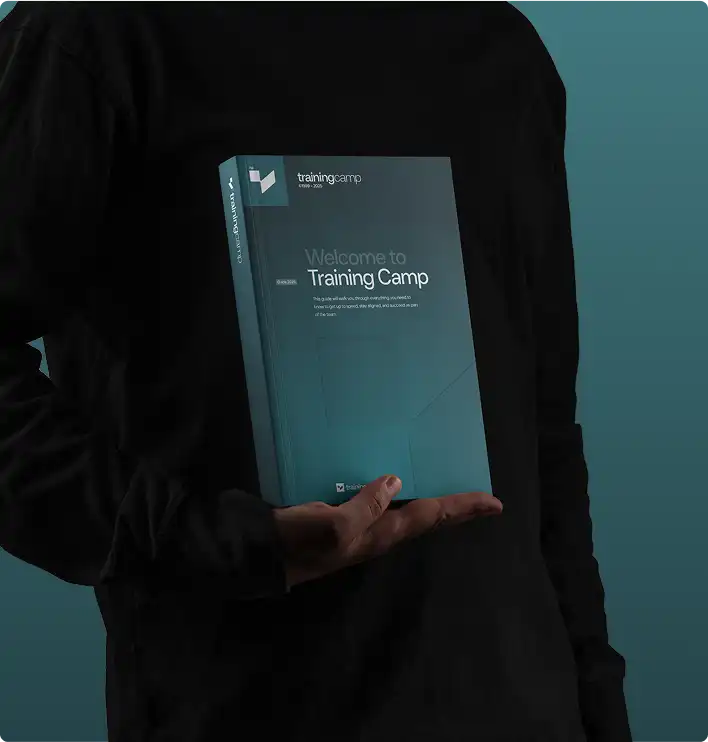
    A+/N+ Exam Guide

    • Expert strategies to spot trick questions
    • Question patterns examiners actually use
    • Proven pacing + pressure management tactics
    Articles and Certification Resources

    A+/Network+ Study Tools
    & Resources

    Expert insights to guide your certification journey.
    Real strategies from professionals who passed.

    Continue Your Journey

    A+/N+ Related Courses

    Advance your career with these recommended certifications

    Featured on